

- Mark as New
- Bookmark
- Subscribe
- Subscribe to RSS Feed
- Permalink
- Report Inappropriate Content
04-14-2020 10:36 PM (Last edited 07-25-2020 02:44 PM ) in
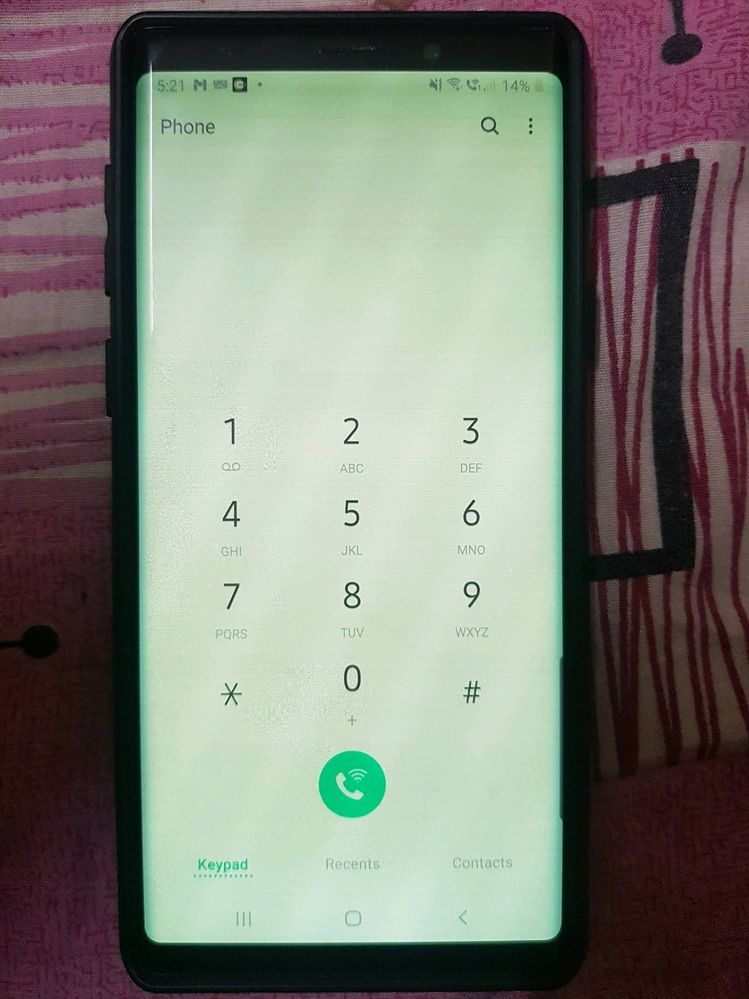
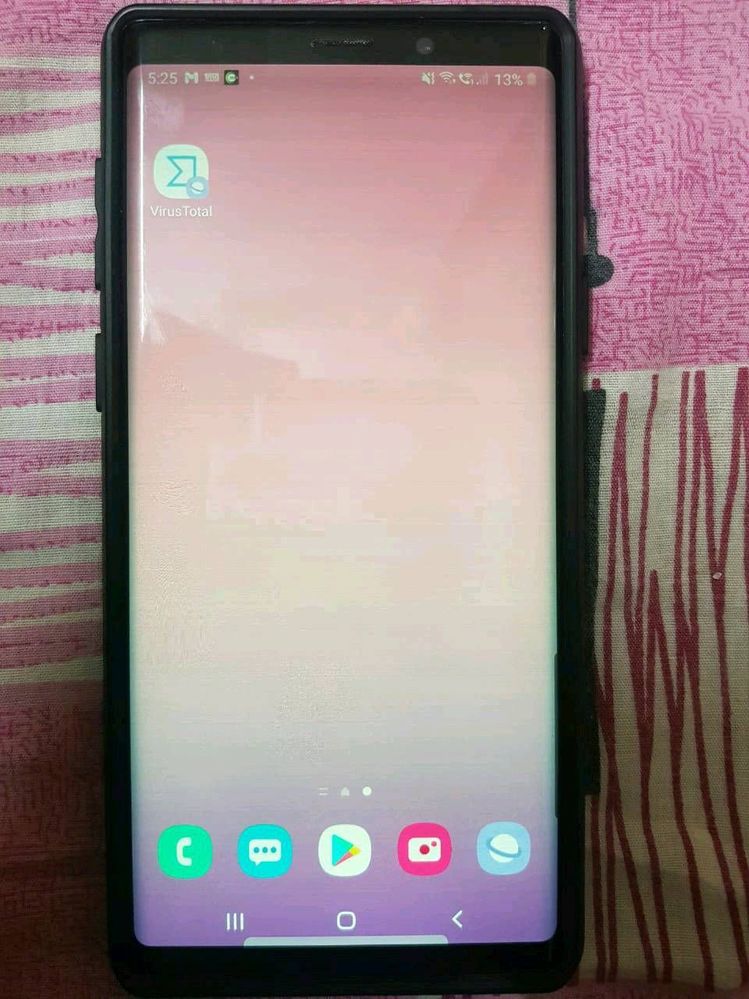
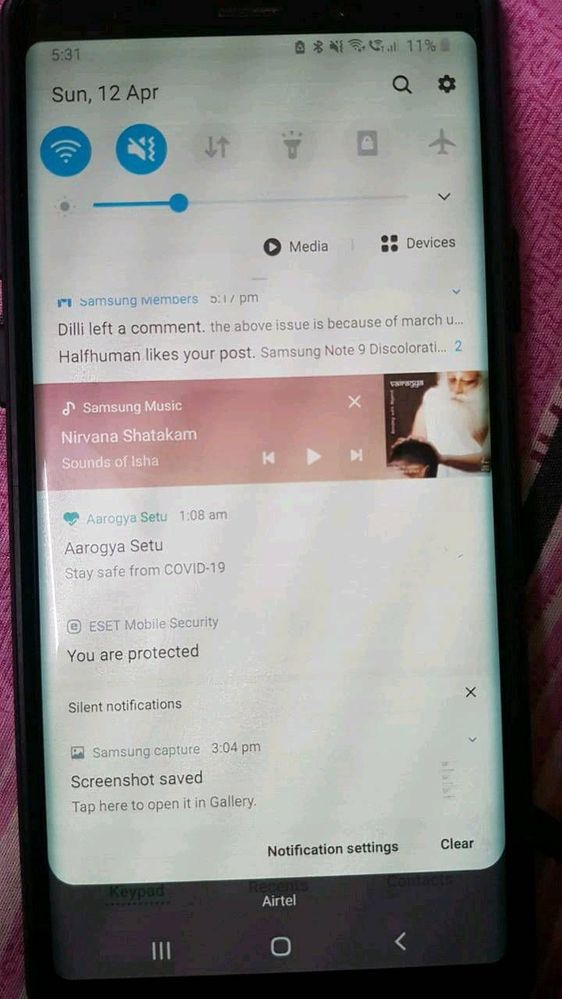
Galaxy NoteHi All, You may have seen this problem already in
1)Initially, when I unlock phone by pressing power button the display was changed to dim colour(mostly yellowish) and with horizontal lines displayed when the brightness is below 50%. After tried with multiple times pressing on power button the display came back to normal.
2) Next stage, it's not solved with power button. I have to keep my phone aside for some time to get back to normal display. It's been 15 to 20 min then.
3) Now, I would get normal display only in morning. Else, I need to keep my phone idle without touching for at least 4 to 5 hours. I've also changed screen power off time from 30 Sec to 10 Minutes. So that my screen wont turn off and I can keep the normal display. If I forgot to use or kept aside more than 10 min then my screen would go off and display would gone again and irritation starts with that discoloration problem..
4) If display changes to yellowish to reduce the horizontal lines problem I need to increase the brightness to 80 or 85% but this causing my phone with another problem "heating issue"

- Mark as New
- Subscribe
- Subscribe to RSS Feed
- Permalink
- Report Inappropriate Content
03-19-2021 09:49 PM in
Galaxy Note
- Mark as New
- Subscribe
- Subscribe to RSS Feed
- Permalink
- Report Inappropriate Content
03-21-2021 11:23 AM in
Galaxy Note
- Mark as New
- Subscribe
- Subscribe to RSS Feed
- Permalink
- Report Inappropriate Content
03-22-2021 10:41 AM (Last edited 03-22-2021 11:58 AM ) in
Galaxy NoteI am also facing the issue from yesterday. But there was a software update notification. So I installed the update. However the problem is still not gone.
[Edit] I tried reducing the brightness. The discoloration is gone. But the phone is difficult to use with low brightness.
- Mark as New
- Subscribe
- Subscribe to RSS Feed
- Permalink
- Report Inappropriate Content
03-31-2021 04:46 PM (Last edited 03-31-2021 04:47 PM ) in
Galaxy NoteI have this problem twice in Galaxy S9 in Indonesia
1. I bought new on March 2018. Screen turned yellow on April 2019.
2. I paid ~$140 for screen replacement on November 2020 at Samsung authorized service center. Screen turns yellow on March 2021.
I complained to Samsung Indonesia online but their answer is basically I have to go to service center again that means I have to pay that $140 again for screen replacement.
This S9 is never dropped. The S9 quality is indeed inferior to my Galaxy S7 which still has good screen though accidentally dropped several times.
Moreover, S9's NFC no longer works since Pie update in January 2019.
We need users in EU or USA to file class action againts Samsung.

- Mark as New
- Subscribe
- Subscribe to RSS Feed
- Permalink
- Report Inappropriate Content
04-06-2021 08:25 PM in
Galaxy Note
- Mark as New
- Subscribe
- Subscribe to RSS Feed
- Permalink
- Report Inappropriate Content
04-18-2021 07:39 PM in
Galaxy NoteThis issue is still present on the Galaxy S9+ after the April Update, please fix it.

- Mark as New
- Subscribe
- Subscribe to RSS Feed
- Permalink
- Report Inappropriate Content
05-11-2021 01:07 PM in
Galaxy Note
- Mark as New
- Subscribe
- Subscribe to RSS Feed
- Permalink
- Report Inappropriate Content
05-31-2021 02:25 AM in
Galaxy Note
- Mark as New
- Subscribe
- Subscribe to RSS Feed
- Permalink
- Report Inappropriate Content
05-31-2021 02:29 AM in
Galaxy Note
- Mark as New
- Subscribe
- Subscribe to RSS Feed
- Permalink
- Report Inappropriate Content
06-07-2021 06:30 AM in
Galaxy NoteI also have same issues out of sudden. I did not do anything!!!
my note9 is work good till this sudden change on yellow tint!!!

