

DhruvJain2298
Active Level 9
Options
- Mark as New
- Subscribe to RSS Feed
- Permalink
01-30-2020 11:48 AM in
Tech Talk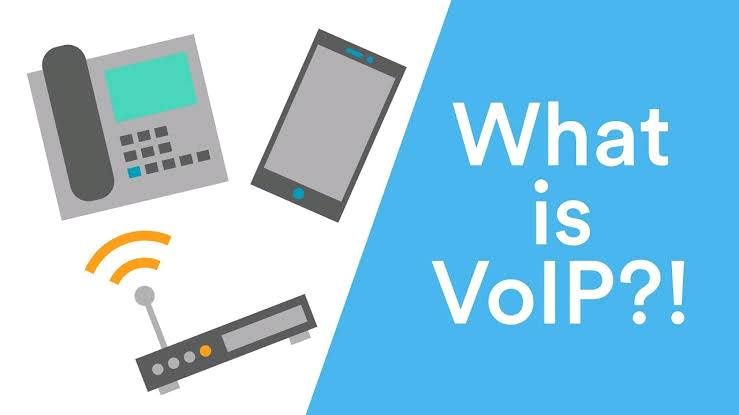
What is WiFi calling? How does it work? Does it affect your ongoing cellular plan? Well, I'm here to answer all those questions for you. So, without any further ado, let's dive in, shall we? 🙌🏻
First things first, let's take the tech part of the picture out of the equation.
I'm pretty sure you all must be aware of and/or have been utilising the VoLTE services that went live in India way back in 2016, first being introduced by Jio, and then only for Idea and Airtel to follow suit.
In simple terms, WiFi calling, or more technically, VoWiFi, and VoLTE work on the same basic principle : VoIP.
Here, let me break down all those acronyms for you.
VoLTE : Voice Over LTE
VoWiFi : Voice Over WiFi
VoIP : Voice Over Internet Protocol
You can think of VoLTE and VoWiFi as the two arms of VoIP.
Speaking in broad terms, with VoIP, the device uses the internet to route your voice/video calls. This means more stable, and clearer calls coupled with a lower chance of call drops.
On that very principle, calls placed with VoLTE will use your mobile data, whereas calls placed with VoWiFi will use your WiFi connection to place the calls.
One of the biggest advantages of this is that you now don't have to worry about the lack of network coverage in one particular part of your house/office or any other place. All you need is a WiFi connection and you're good to go. Pretty nifty, right? Well, it sure is. 😄
Now, I'm sure you have one question in mind. Does this affect my ongoing cellular plan? And if yes, how?
Even with VoWiFi enabled and calls being placed via your WiFi connection, your calls will be looked at from your plan point of view. What that means is that all your plan parameters will apply to the calls made over the WiFi network.
For example, on Jio, placing a call to a non-Jio subscriber will exhaust your IUC minutes.
But all of that aside, this is one great feature to have.
To the most important part. How do I enable this?
Simply follow my steps below, and you're good! 🔥
Step 1 : Open settings.
Step 2 : Click on Connections.
Step 3 : Enable WiFi Calling.
Now, if everything has gone to plan, you should see the VoWiFi symbol up on the status bar.

If not, please try resetting your network settings.
Step 1 : Open settings.
Step 2 : Search for "Reset network settings".
Step 3 : Click on Reset Network Settings.
Please be careful, and not reset the device.
Shout-out to my fellow BA, Aashish for helping me with this. ☺️
Please have a look at the link below for the list of supported devices.
For Airtel subscribers : https://www.google.com/amp/s/gadgets.ndtv.com/telecom/news/airtel-wifi-calling-service-support-citie...
For Jio subscribers :
Voilà! There you have it! WiFi calling enabled on your very own device!
Thank you for your time. 😄
Dhruv Jain.
DhruvJain2298
Active Level 9
Options
- Mark as New
- Subscribe to RSS Feed
- Permalink
03-08-2020 04:44 PM in
Tech Talk
Thank you for reaching out to us, Rini. 😃
Could you please try resetting your network settings and reverting back?
Could you please try resetting your network settings and reverting back?

RiniS
Active Level 1
Options
- Mark as New
- Subscribe to RSS Feed
- Permalink
03-08-2020 04:49 PM (Last edited 03-08-2020 04:49 PM ) in
Tech Talk
yes done but still facing issue and I am using jio network after 1 min wifi calling option get disable
DhruvJain2298
Active Level 9
Options
- Mark as New
- Subscribe to RSS Feed
- Permalink
03-08-2020 04:59 PM in
Tech Talk
I see, alright.
We could try forcing your device to enable WiFi calling.
First up, turn on airplane mode.
Now, reconnect to your WiFi network.
Try enabling WiFi calling without turning off airplane mode.
Please try this and let me know if it worked.
Thank you. 😄
We could try forcing your device to enable WiFi calling.
First up, turn on airplane mode.
Now, reconnect to your WiFi network.
Try enabling WiFi calling without turning off airplane mode.
Please try this and let me know if it worked.
Thank you. 😄
DhruvJain2298
Active Level 9
Options
- Mark as New
- Subscribe to RSS Feed
- Permalink
03-08-2020 05:07 PM in
Tech Talk
Yes please turn off airplane mode after you've enabled WiFi calling.
DhruvJain2298
Active Level 9
Options
- Mark as New
- Subscribe to RSS Feed
- Permalink
03-08-2020 05:22 PM in
Tech Talk
I'm sorry, I think this has got something to do either with software / your network provider.
Please consider getting your device checked at a Samsung service center near you.
Please consider getting your device checked at a Samsung service center near you.
DhruvJain2298
Active Level 9
Options
- Mark as New
- Subscribe to RSS Feed
- Permalink
03-08-2020 05:30 PM in
Tech Talk
You're welcome. 😄


