

- Mark as New
- Bookmark
- Subscribe
- Subscribe to RSS Feed
- Permalink
- Report Inappropriate Content
04-14-2020 10:36 PM (Last edited 07-25-2020 02:44 PM ) in
Galaxy NoteHi All, You may have seen this problem already in
1)Initially, when I unlock phone by pressing power button the display was changed to dim colour(mostly yellowish) and with horizontal lines displayed when the brightness is below 50%. After tried with multiple times pressing on power button the display came back to normal.
2) Next stage, it's not solved with power button. I have to keep my phone aside for some time to get back to normal display. It's been 15 to 20 min then.
3) Now, I would get normal display only in morning. Else, I need to keep my phone idle without touching for at least 4 to 5 hours. I've also changed screen power off time from 30 Sec to 10 Minutes. So that my screen wont turn off and I can keep the normal display. If I forgot to use or kept aside more than 10 min then my screen would go off and display would gone again and irritation starts with that discoloration problem..
4) If display changes to yellowish to reduce the horizontal lines problem I need to increase the brightness to 80 or 85% but this causing my phone with another problem "heating issue"
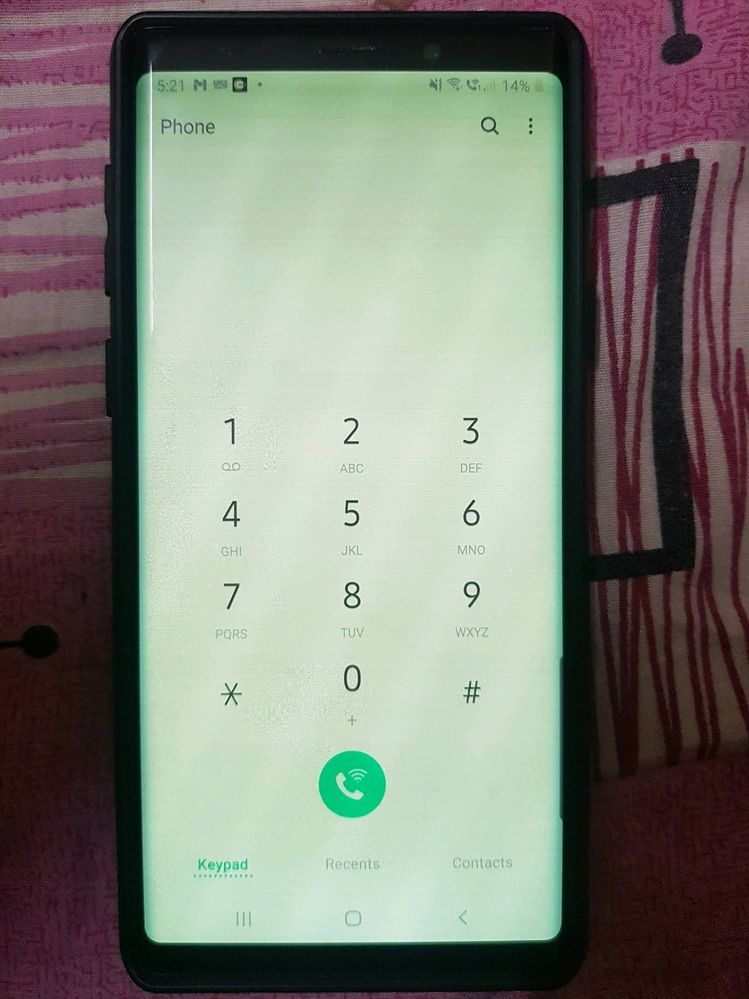
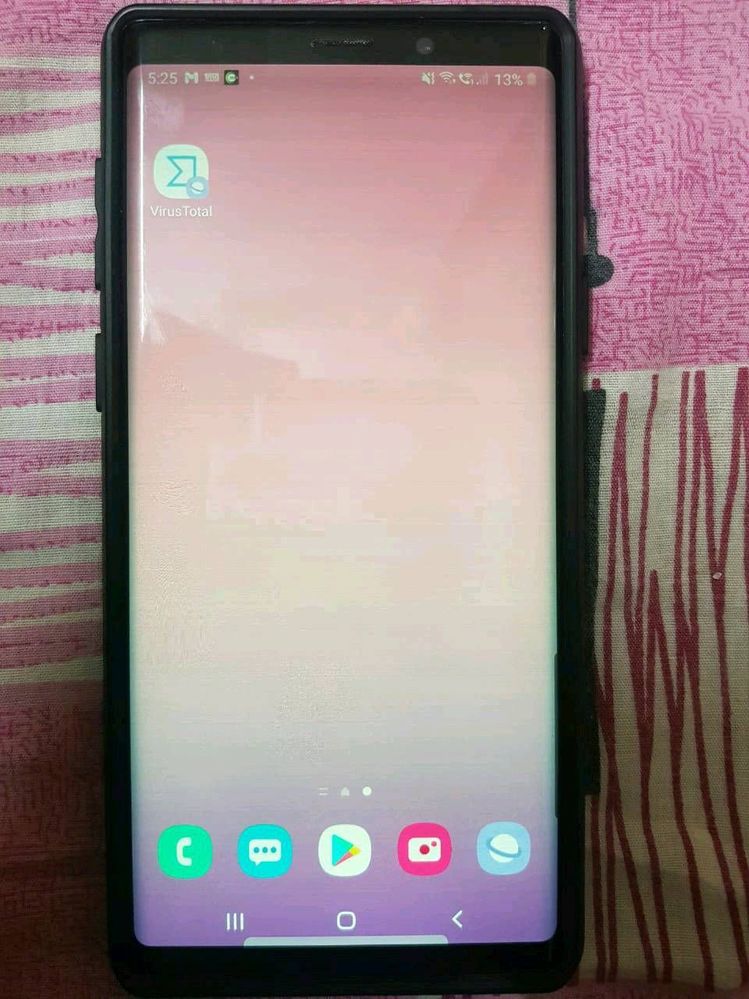
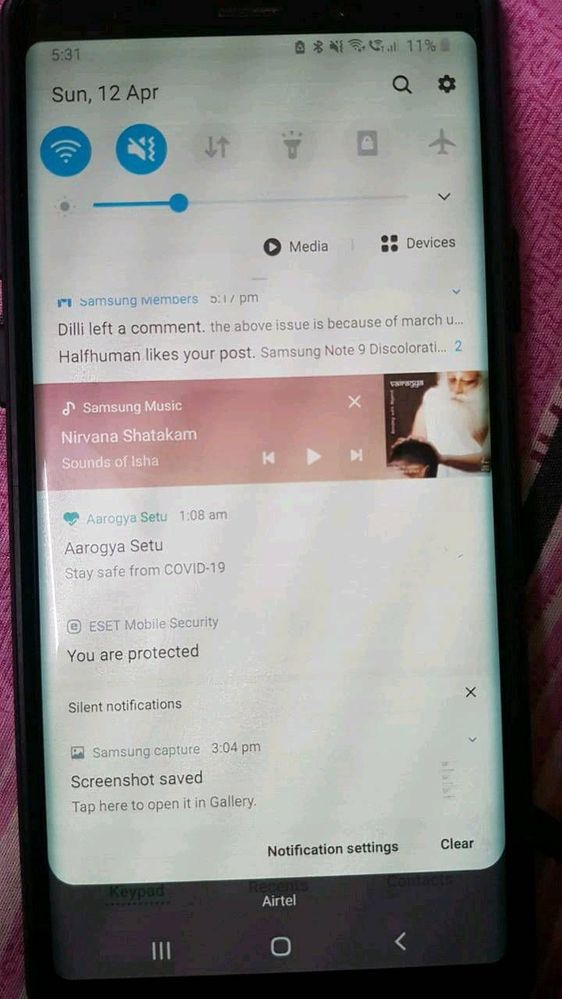

- Mark as New
- Subscribe
- Subscribe to RSS Feed
- Permalink
- Report Inappropriate Content
02-11-2021 07:48 PM in
Galaxy NoteI am also facing the same issue.
- Mark as New
- Subscribe
- Subscribe to RSS Feed
- Permalink
- Report Inappropriate Content
02-13-2021 09:42 AM in
Galaxy NoteI am also having the same issue and I do the things you havw itemized above and I cant believe that Im not the only one having this issue. I just hope Samsung will fix this free of charge. It's like they are milking us avid Note fans to keep on upgrading everytime they will release a new series. It's like they are doing this to force us customers to take the new one which I find really shady.
- Mark as New
- Subscribe
- Subscribe to RSS Feed
- Permalink
- Report Inappropriate Content
02-27-2021 02:06 AM (Last edited 02-27-2021 02:08 AM ) in
Galaxy NoteThanks for putting all these resources together! I just bought an international Note 9 because I thought it was perfect for my needs and a reasonable price. I was disappointed to encounter this issue as soon as I updated my phone from One UI 1.0 to One UI 2.5 unfortunately. I'm based in the US using an international model, but do any US models have this issue? Please let us know if there are any real solutions!
- Mark as New
- Subscribe
- Subscribe to RSS Feed
- Permalink
- Report Inappropriate Content
03-02-2021 09:56 PM in
Galaxy NoteOMG... I have this same issue... I thought I did something to the phone.. Glad to hear its not my problem.. I just hope Samsung fixes this soon.. Its so hard to use the phone now...
- Mark as New
- Subscribe
- Subscribe to RSS Feed
- Permalink
- Report Inappropriate Content
03-03-2021 03:45 AM in
Galaxy Noteam facing the same issue after updated my note 9 software a line has been appeared on my screen and when i make brightness downs the screen is discoloration
please guys send me the telegram that you have created we have to escalate this
or whatsapp me 00966507834536

- Mark as New
- Subscribe
- Subscribe to RSS Feed
- Permalink
- Report Inappropriate Content
05-31-2021 02:30 AM in
Galaxy Note
- Mark as New
- Subscribe
- Subscribe to RSS Feed
- Permalink
- Report Inappropriate Content
03-10-2021 03:44 PM in
Galaxy Notesame issue, any one can help?
- Mark as New
- Subscribe
- Subscribe to RSS Feed
- Permalink
- Report Inappropriate Content
03-15-2021 08:59 AM in
Galaxy NoteSame problem with my note9 purchased from Canada when it launched, problem started 1 year back, after update, exactly same problem explained above, I have contacted customer care, same reply contact with service center, same reply from service center, display problem, will change arround 20k INR, dispointed, unable to understand what to do next, "SAMSUNG" must solve the problem, either it is manufacturing hardware problem or software glitch, only "SAMSUNG" can better understand,
if they do not respond what we do, we all must discuss. It is sure if "SAMSUNG" unable to resolve, I will highlight this matter to all platforms and never purchase never recommend to purchase any product of "SAMSUNG".
- Mark as New
- Subscribe
- Subscribe to RSS Feed
- Permalink
- Report Inappropriate Content
03-17-2021 08:19 AM in
Galaxy NoteHello, I also have a note 9. It works well, no dents, no physical damage it is on a very good condition until i updated its software which is the lastest one. I didn't know that the update can cause green tint and its getting worse everyday. We have the same issue and its really dissapointing for a flagship product. The only solution i came up with is to use a third party app (not permenent fix but it can lessen the green tint). My note 9 is 2yrs old but still good as new its just that the new software update had destoyed the display im still hoping that samsung will fix this through the next one :((

- Mark as New
- Subscribe
- Subscribe to RSS Feed
- Permalink
- Report Inappropriate Content
03-17-2021 10:33 PM in
Galaxy Note
