

- Mark as New
- Bookmark
- Subscribe
- Subscribe to RSS Feed
- Permalink
- Report Inappropriate Content
04-14-2020 10:36 PM (Last edited 07-25-2020 02:44 PM ) in
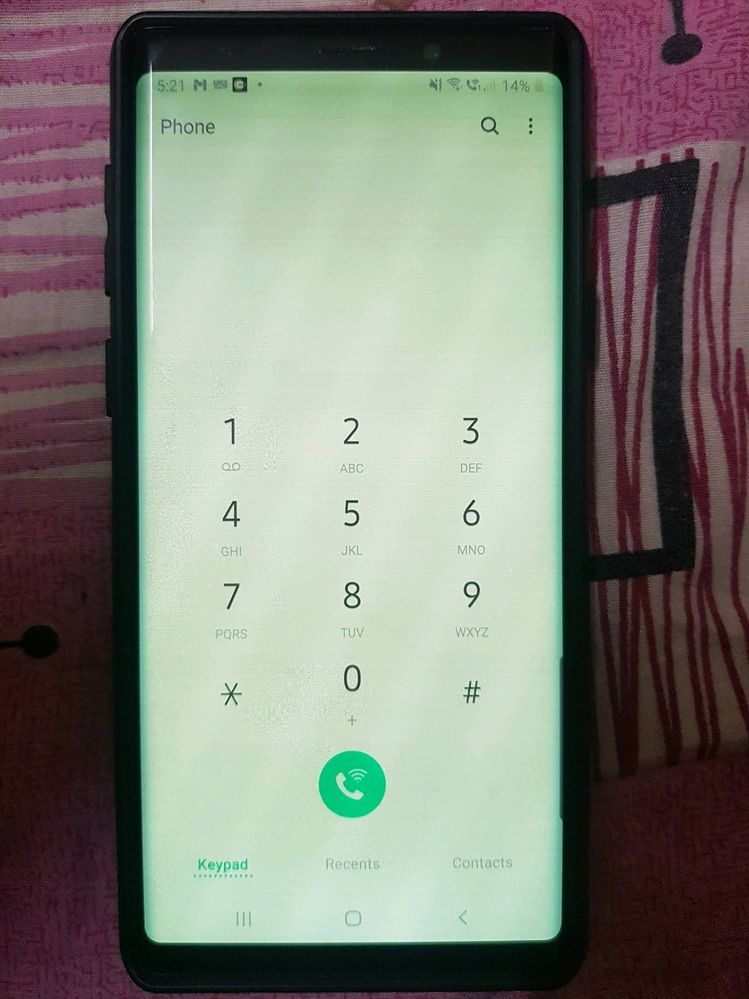
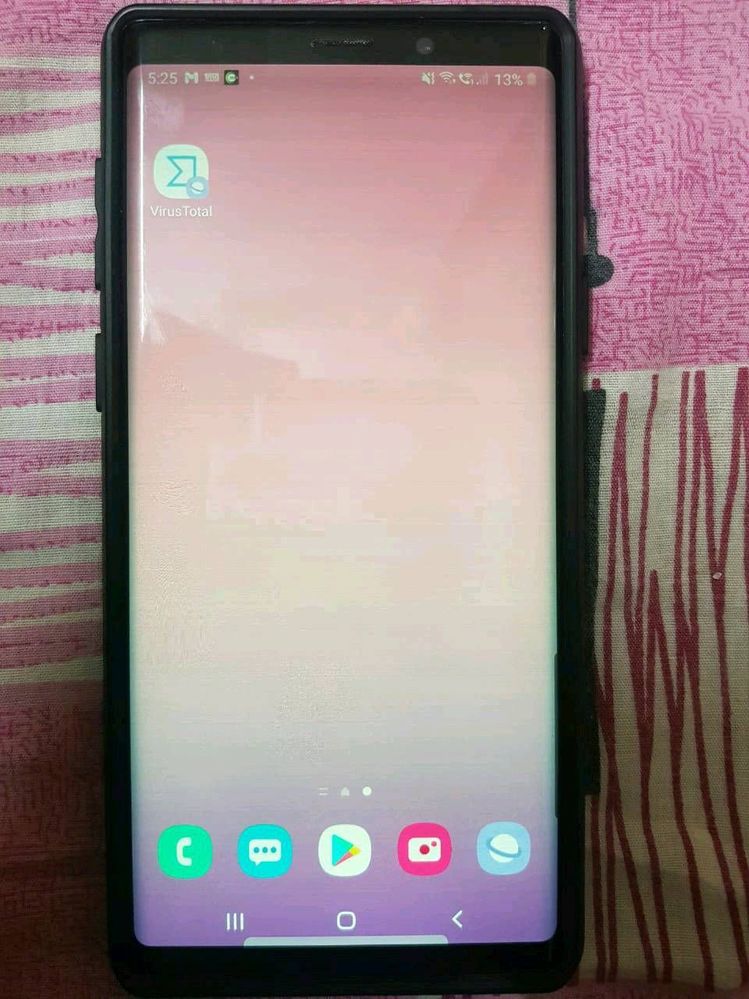
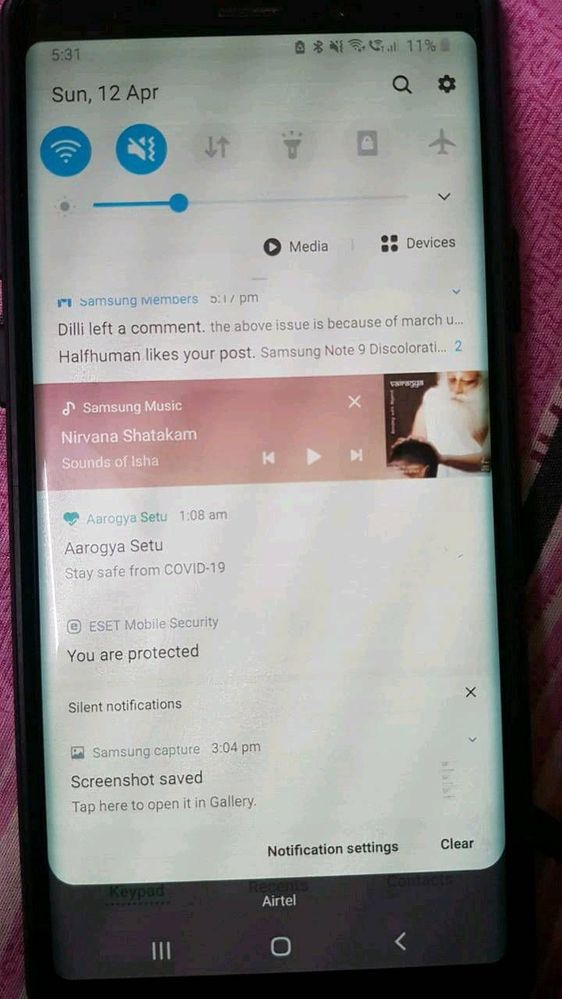
Galaxy NoteHi All, You may have seen this problem already in
1)Initially, when I unlock phone by pressing power button the display was changed to dim colour(mostly yellowish) and with horizontal lines displayed when the brightness is below 50%. After tried with multiple times pressing on power button the display came back to normal.
2) Next stage, it's not solved with power button. I have to keep my phone aside for some time to get back to normal display. It's been 15 to 20 min then.
3) Now, I would get normal display only in morning. Else, I need to keep my phone idle without touching for at least 4 to 5 hours. I've also changed screen power off time from 30 Sec to 10 Minutes. So that my screen wont turn off and I can keep the normal display. If I forgot to use or kept aside more than 10 min then my screen would go off and display would gone again and irritation starts with that discoloration problem..
4) If display changes to yellowish to reduce the horizontal lines problem I need to increase the brightness to 80 or 85% but this causing my phone with another problem "heating issue"

- Mark as New
- Subscribe
- Subscribe to RSS Feed
- Permalink
- Report Inappropriate Content
01-10-2021 03:00 PM in
Galaxy NoteSame here

- Mark as New
- Subscribe
- Subscribe to RSS Feed
- Permalink
- Report Inappropriate Content
01-12-2021 05:50 PM in
Galaxy Note
- Mark as New
- Subscribe
- Subscribe to RSS Feed
- Permalink
- Report Inappropriate Content
01-13-2021 04:29 PM in
Galaxy NoteI have had the same issues after the recent update, since I'm from the UK I had bought the phone from Carphone Warehouse, I was told the phone comes with a 2 year warranty, due to the lockdown over here the shop was forced to close but once it reopened the team at carphone took into account the lockdown and told me they would cover the costs if samsung did not fix. Behold 1 week later I get the phone back with a brand new screen, huge thanks to the team at Carphone. If your in the UK and you have bought from Carphone its worth going into the store once they have open to relay your issue you may get lucky like me.
- Mark as New
- Subscribe
- Subscribe to RSS Feed
- Permalink
- Report Inappropriate Content
01-19-2021 09:50 AM (Last edited 02-13-2021 06:13 AM ) in
Galaxy NoteI faced it 1st time yesterday. Suddenly there are a lot of flickering line appears on my screen. Then the green tint starting to appear. My screen even flashed once like a camera flash. I turned my phone off instantly after that and switched to my backup phone to look into this problem. I had Note 4 before this and faced some kind of display issue too. I kinda disappointed finding out this time it's worse than before & seeing so many people faced the same issue making me regret I bought this phone futhermore. I was always hesitated to buy this Note 9 as I'm not fond of amoled on smartphones (also the curved edge). Right now I'm on my Note 9 with PWMfree & OLED Saver turned on. The display now is easier to look at with less green tint & flickerings. Hope that helps.
Edit : I stopped using said apps after I found someone stated that using the apps might make the issues stay permanent. I then tried setting manual brightness, it's suitable when I'm at home. After that I tried the always on display temporary fix & I prefer this because it seems to fix my display issues except sometimes my display still shows the discoloration & lines (minimal and no more flickering). To my luck this evening I updated my phone to January security patch & it seems to fix my display issues. I noticed the differences right away, no more discoloration & lines. Before the update I noticed dark grey is the most noticeable color that become greenish. After the update I tested using Display Tester app & every tint of gray is normal now. I hope the patch really fixed the display issues.
Edit: Meh! It didn't. It came back.
Update: I formatted my phone once & I flashed again using Odin after I updated to January patch. No flickering but grey part still yellowish, until yesterday. My screen flickers before I turned on the tap to show always on screen. I noticed that my display became less yellowish now. FYI I've turned off quick charging, max display resolution, adaptive power saving since I formatted my phone. I'm planning to change my battery next because my battery drain a lot quicker now.
- Mark as New
- Subscribe
- Subscribe to RSS Feed
- Permalink
- Report Inappropriate Content
02-09-2021 07:08 AM in
Galaxy Note@ ZeroAlpha
"To my luck this evening I updated my phone to January security patch & it seems to fix my display issues. I noticed the differences right away, no more discoloration & lines. Before the update I noticed dark grey is the most noticeable color that become greenish. After the update I tested using Display Tester app & every tint of gray is normal now. I hope the patch really fixed the display issues.
Edit: Meh! It didn't. It came back."
I would like to reply to this statement. I also notice my display turning back to normal not long after updating to January 2021 security update, but to no one's surprise, the discoloration came back not long after on the same day. Guess whatever they did, it wasn't permanent.

- Mark as New
- Subscribe
- Subscribe to RSS Feed
- Permalink
- Report Inappropriate Content
01-24-2021 11:48 PM in
Galaxy Note
- Mark as New
- Subscribe
- Subscribe to RSS Feed
- Permalink
- Report Inappropriate Content
01-25-2021 07:26 PM in
Galaxy NoteSame here for my mobile.
- Mark as New
- Subscribe
- Subscribe to RSS Feed
- Permalink
- Report Inappropriate Content
01-25-2021 07:33 PM in
Galaxy NoteTemporary solutions is turn on "always display ON". If it happens what for time to show up then unlock the screen.

- Mark as New
- Subscribe
- Subscribe to RSS Feed
- Permalink
- Report Inappropriate Content
01-26-2021 07:41 PM in
Galaxy NoteI am also facing the same issue and really irritated by this issue screen issue.,

- Mark as New
- Subscribe
- Subscribe to RSS Feed
- Permalink
- Report Inappropriate Content
01-29-2021 09:49 PM in
Galaxy NoteI have the same problem since about 5 or 6 months

