

- Mark as New
- Bookmark
- Subscribe
- Subscribe to RSS Feed
- Permalink
- Report Inappropriate Content
04-14-2020 10:36 PM (Last edited 07-25-2020 02:44 PM ) in
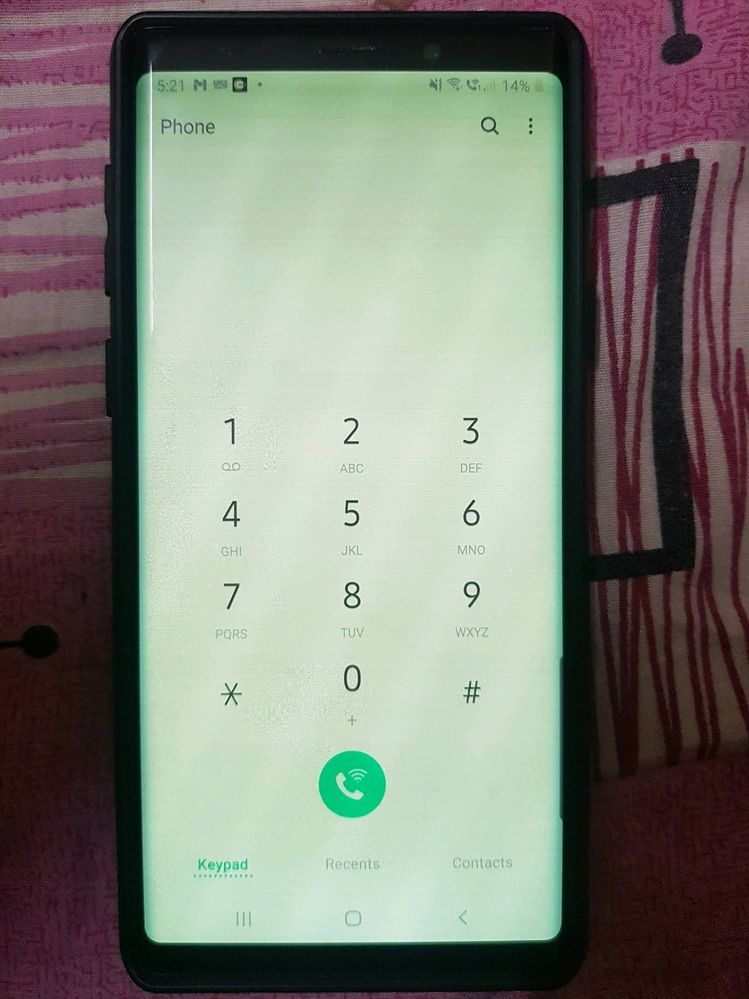
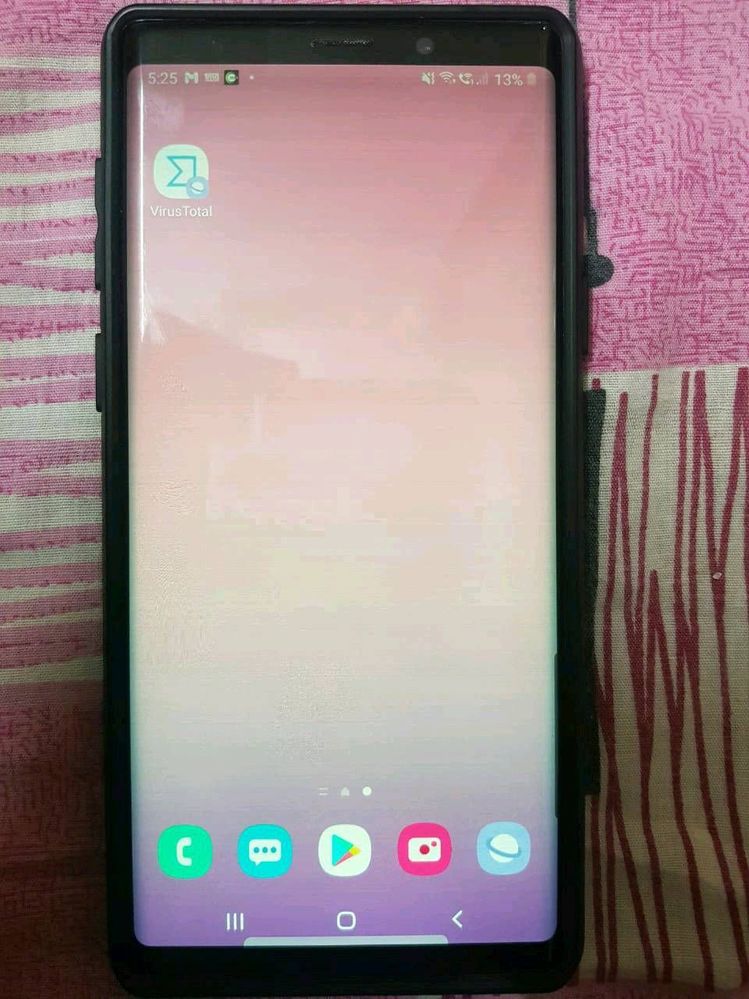
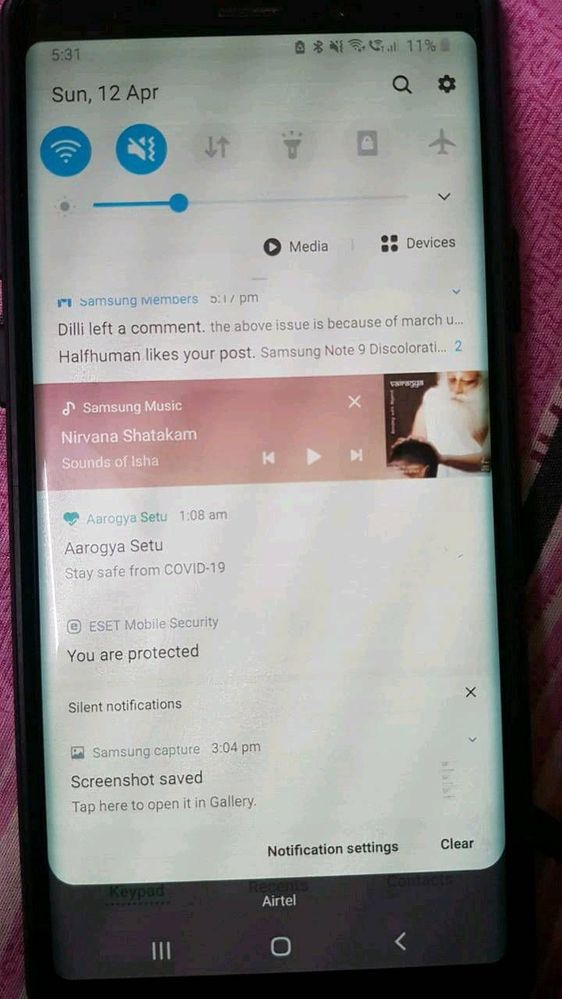
Galaxy NoteHi All, You may have seen this problem already in
1)Initially, when I unlock phone by pressing power button the display was changed to dim colour(mostly yellowish) and with horizontal lines displayed when the brightness is below 50%. After tried with multiple times pressing on power button the display came back to normal.
2) Next stage, it's not solved with power button. I have to keep my phone aside for some time to get back to normal display. It's been 15 to 20 min then.
3) Now, I would get normal display only in morning. Else, I need to keep my phone idle without touching for at least 4 to 5 hours. I've also changed screen power off time from 30 Sec to 10 Minutes. So that my screen wont turn off and I can keep the normal display. If I forgot to use or kept aside more than 10 min then my screen would go off and display would gone again and irritation starts with that discoloration problem..
4) If display changes to yellowish to reduce the horizontal lines problem I need to increase the brightness to 80 or 85% but this causing my phone with another problem "heating issue"

 Samsung_Support
- Mark as New
- Subscribe
- Subscribe to RSS Feed
- Permalink
09-04-2020 06:41 PM in
Galaxy NoteDear Samsung Member,
Greetings from Samsung Customer Support!
We apologies for your inconvenience. Please register your concern in Samsung Members Application (Open Samsung Members Application > Get help > Send Feedback > Error report/Ask questions).
Thank you for writing to Samsung.
Warm Regards,
Samsung Customer Support

- Mark as New
- Subscribe
- Subscribe to RSS Feed
- Permalink
- Report Inappropriate Content
09-03-2020 11:31 AM (Last edited 09-03-2020 11:31 AM ) in
Galaxy Note
- Mark as New
- Subscribe
- Subscribe to RSS Feed
- Permalink
- Report Inappropriate Content
09-06-2020 07:37 PM in
Galaxy Noteim also having same issue updated my phone few days back . update version N960FXXS6ETH4/N960FOXM6ETG3/N960FXX56ETG5. security patch level1 august 2020. a dont knw what the hell is going on?
- Mark as New
- Subscribe
- Subscribe to RSS Feed
- Permalink
- Report Inappropriate Content
09-06-2020 11:47 PM in
Galaxy NoteHi all, i have just the same problem since august. I have an galaxy s9+ without drops like new but of warranty since May. Please help. For the owner of this post i'm not being able to enter telegram. I try to fill the form but when needs to upload image it gives an error "server rejected". I'm Portuguese

- Mark as New
- Subscribe
- Subscribe to RSS Feed
- Permalink
- Report Inappropriate Content
09-10-2020 02:24 AM in
Galaxy NoteI need justice. #Samsung #Consumercourt #Note9screenissue
- Mark as New
- Subscribe
- Subscribe to RSS Feed
- Permalink
- Report Inappropriate Content
09-10-2020 07:51 PM (Last edited 09-10-2020 07:54 PM ) in
Galaxy NoteI've found that if I put my Note9 in the refrigerator (not the freezer!) for 3-4 minutes, it works fine. However, this is not a long-term solution to a very expensive problem. This appears to be a 100% software fault, and needs to be fixed sooner rather than later.
- Mark as New
- Subscribe
- Subscribe to RSS Feed
- Permalink
- Report Inappropriate Content
09-16-2020 05:03 AM in
Galaxy NoteI found a temporary solution that does not involve kitchen appliances.
Tap the blank screen to get the clock to pop up, then open from there. Seems to bring up the normal screen every time.
I hope there is a permanent fix soon!

- Mark as New
- Subscribe
- Subscribe to RSS Feed
- Permalink
- Report Inappropriate Content
09-11-2020 11:32 PM in
Galaxy Note
- Mark as New
- Subscribe
- Subscribe to RSS Feed
- Permalink
- Report Inappropriate Content
09-13-2020 12:53 PM (Last edited 09-13-2020 12:53 PM ) in
Galaxy Note
- Mark as New
- Subscribe
- Subscribe to RSS Feed
- Permalink
- Report Inappropriate Content
10-22-2020 06:18 PM in
Galaxy Note


