

- Mark as New
- Bookmark
- Subscribe
- Subscribe to RSS Feed
- Permalink
- Report Inappropriate Content
04-14-2020 10:36 PM (Last edited 07-25-2020 02:44 PM ) in
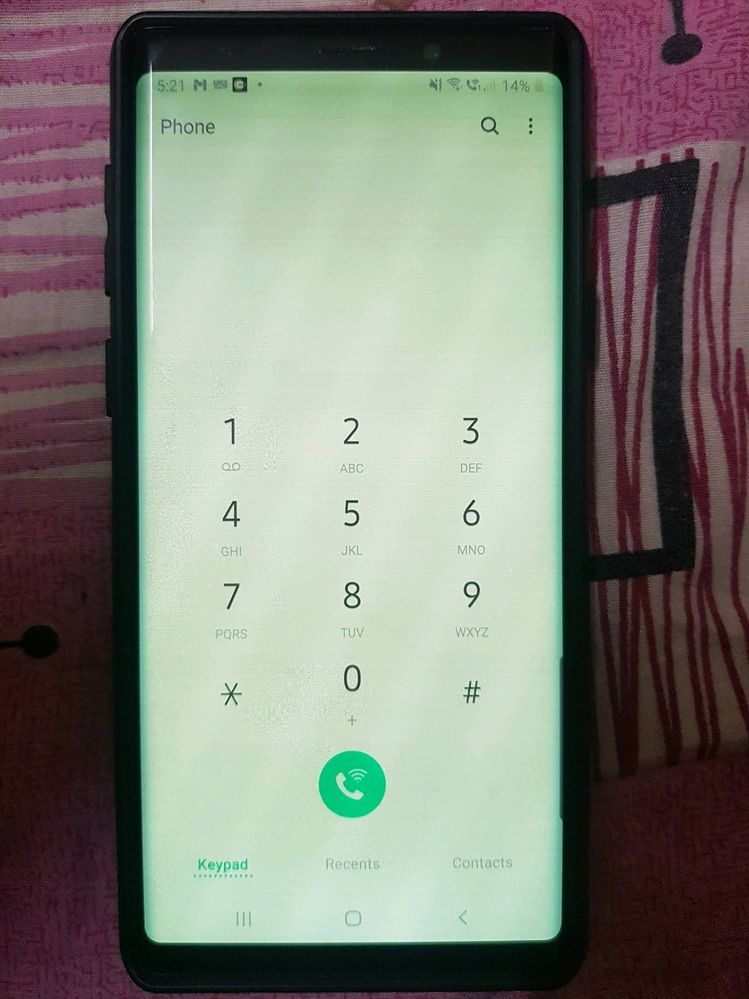
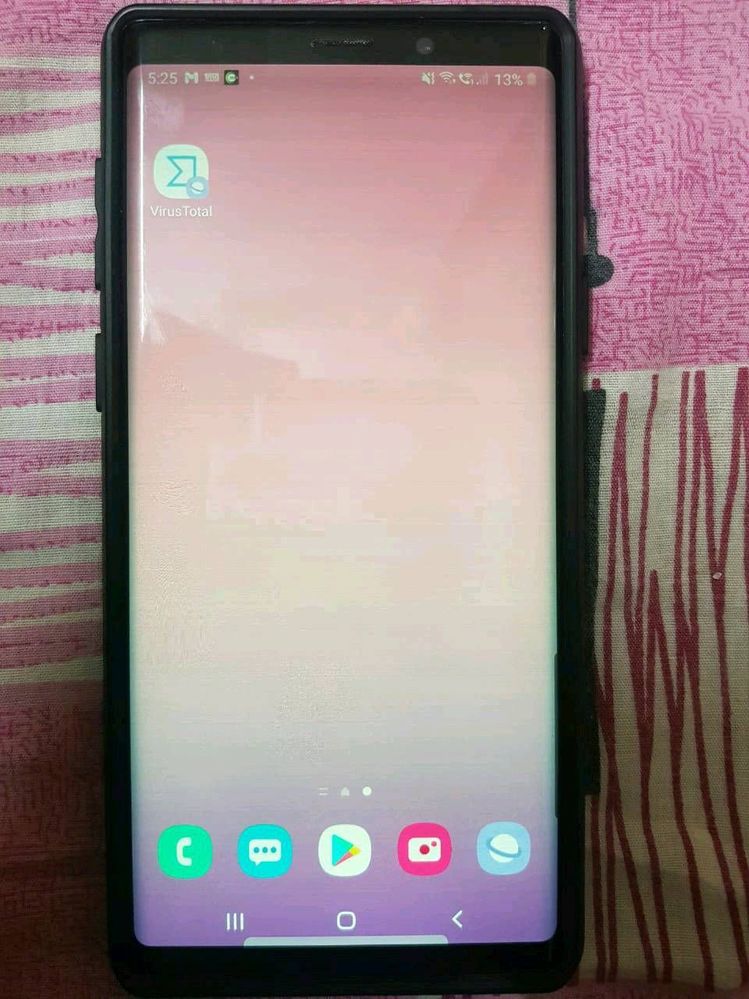
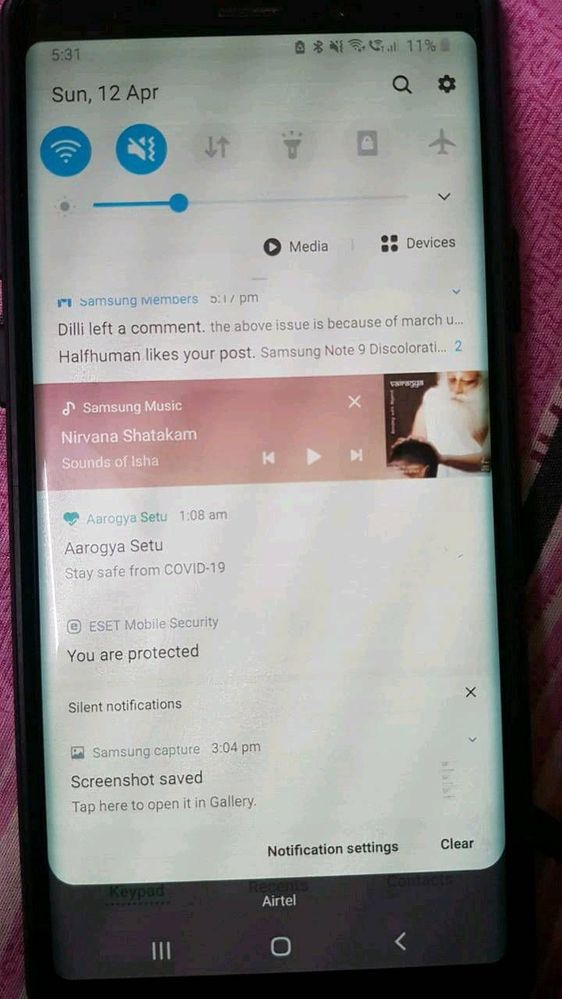
Galaxy NoteHi All, You may have seen this problem already in
1)Initially, when I unlock phone by pressing power button the display was changed to dim colour(mostly yellowish) and with horizontal lines displayed when the brightness is below 50%. After tried with multiple times pressing on power button the display came back to normal.
2) Next stage, it's not solved with power button. I have to keep my phone aside for some time to get back to normal display. It's been 15 to 20 min then.
3) Now, I would get normal display only in morning. Else, I need to keep my phone idle without touching for at least 4 to 5 hours. I've also changed screen power off time from 30 Sec to 10 Minutes. So that my screen wont turn off and I can keep the normal display. If I forgot to use or kept aside more than 10 min then my screen would go off and display would gone again and irritation starts with that discoloration problem..
4) If display changes to yellowish to reduce the horizontal lines problem I need to increase the brightness to 80 or 85% but this causing my phone with another problem "heating issue"

- Mark as New
- Subscribe
- Subscribe to RSS Feed
- Permalink
- Report Inappropriate Content
08-27-2020 02:14 AM in
Galaxy NoteI also facing the same problem after March 2020 update.

- Mark as New
- Subscribe
- Subscribe to RSS Feed
- Permalink
- Report Inappropriate Content
08-29-2020 08:40 PM (Last edited 08-29-2020 08:41 PM ) in
Galaxy NoteDear Samsung Member,
Greetings from Samsung Customer Support!
Hope your issue got resolved. If issue still persist, please register your concern in Samsung Members Application (Open Samsung Members Application > Get help > Send Feedback > Error report/Ask questions).
Thank you for writing to Samsung.
Warm Regards,
Samsung Customer Support
- Mark as New
- Subscribe
- Subscribe to RSS Feed
- Permalink
- Report Inappropriate Content
08-29-2020 08:49 PM in
Galaxy NoteI have the same issue with my handset. screen discolouration for note 9 seems to be a common issue and it requires attention from Samsung team
- Mark as New
- Subscribe
- Subscribe to RSS Feed
- Permalink
- Report Inappropriate Content
08-29-2020 09:24 PM (Last edited 08-29-2020 09:28 PM ) in
Galaxy NoteI have the same issue as well since at least June. It seems highly improbable that this is a hardware issue as it is affecting so many devices and all at the same time. Please fix!
[I already submitted a report to Samsung Members]
- Mark as New
- Subscribe
- Subscribe to RSS Feed
- Permalink
- Report Inappropriate Content
08-31-2020 05:51 PM in
Galaxy NoteHey, even I am facing display problems since my last update on 3rd August 2020. It was all working fine, untill this update came & made things bad. The yellow screen & lines makes it difficult to use. I hope Samsung does something about this & get this fixed in next update or something. #samasunggetitdone

- Mark as New
- Subscribe
- Subscribe to RSS Feed
- Permalink
- Report Inappropriate Content
09-01-2020 12:03 AM in
Galaxy Note
- Mark as New
- Subscribe
- Subscribe to RSS Feed
- Permalink
- Report Inappropriate Content
09-01-2020 10:35 AM in
Galaxy Note
- Mark as New
- Subscribe
- Subscribe to RSS Feed
- Permalink
- Report Inappropriate Content
09-01-2020 10:36 AM in
Galaxy Note
- Mark as New
- Subscribe
- Subscribe to RSS Feed
- Permalink
- Report Inappropriate Content
09-01-2020 05:30 PM in
Galaxy Note
- Mark as New
- Subscribe
- Subscribe to RSS Feed
- Permalink
- Report Inappropriate Content
09-02-2020 07:31 PM in
Galaxy Notedl and install oled saver in play store will temporaly fix the issue.

