

- Mark as New
- Bookmark
- Subscribe
- Subscribe to RSS Feed
- Permalink
- Report Inappropriate Content
01-10-2021 12:29 PM in
Tech Talk- « Previous
-
- 1
- 2
- Next »

- Mark as New
- Subscribe
- Subscribe to RSS Feed
- Permalink
- Report Inappropriate Content
01-10-2021 02:41 PM in
Tech Talk
- Mark as New
- Subscribe
- Subscribe to RSS Feed
- Permalink
- Report Inappropriate Content
01-10-2021 02:45 PM in
Tech Talk
- Mark as New
- Subscribe
- Subscribe to RSS Feed
- Permalink
- Report Inappropriate Content
01-10-2021 02:49 PM in
Tech Talk
- Mark as New
- Subscribe
- Subscribe to RSS Feed
- Permalink
- Report Inappropriate Content
01-10-2021 06:24 PM in
Tech TalkCheck installed app list also, if there is any unknown app uninstall it.

- Mark as New
- Subscribe
- Subscribe to RSS Feed
- Permalink
- Report Inappropriate Content
01-10-2021 12:59 PM in
Tech Talk
- Mark as New
- Subscribe
- Subscribe to RSS Feed
- Permalink
- Report Inappropriate Content
01-10-2021 01:07 PM in
Tech Talk
- Mark as New
- Subscribe
- Subscribe to RSS Feed
- Permalink
- Report Inappropriate Content
01-10-2021 01:26 PM in
Tech Talk

- Mark as New
- Subscribe
- Subscribe to RSS Feed
- Permalink
- Report Inappropriate Content
01-10-2021 01:44 PM in
Tech Talk
- Mark as New
- Subscribe
- Subscribe to RSS Feed
- Permalink
- Report Inappropriate Content
01-12-2021 11:21 PM in
Tech TalkDear Samsung Member,
Greetings from Samsung Customer Support!
Be assured, to resolve the issue please follow below given steps:-
1. Check device in safe mode:- Using Safe Mode on a Samsung phone allows you to force the device to run the essential operating system, and disable most 3rd party applications.
To enter in safe mode:- Press and hold the Power key, when Power off icon appears > Press and hold the power off icon.
To exit safe mode restart the device.
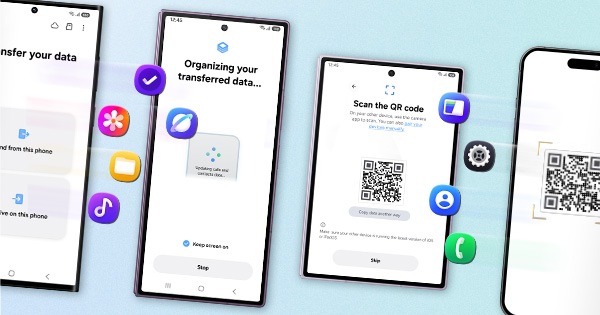
2. Reset the device:- Before resetting, kindly create data backup of your device via SMART switch mobile application or http://www.samsung.com/in/support/smartswitch pc suite.
How to reset:- Settings > General management > Reset.
If the issue still persist, kindly register your concern in Samsung Members app along with short video, screenshot and error log file(Samsung Members app > Get help > Feedback > Error report/ask question).
Note: Please send device log files within 15 minutes of issue occurrence along with the exact issue details.
Thank you for writing to Samsung.
Warm Regards,
Samsung Customer Support

- « Previous
-
- 1
- 2
- Next »
