

- Mark as New
- Bookmark
- Subscribe
- Subscribe to RSS Feed
- Permalink
- Report Inappropriate Content
04-19-2020 05:12 PM in
Galaxy Note
- Mark as New
- Subscribe
- Subscribe to RSS Feed
- Permalink
- Report Inappropriate Content
04-19-2020 05:17 PM (Last edited 04-19-2020 05:18 PM ) in
Galaxy Note
- Mark as New
- Subscribe
- Subscribe to RSS Feed
- Permalink
- Report Inappropriate Content
04-19-2020 07:55 PM in
Galaxy Note
- Mark as New
- Subscribe
- Subscribe to RSS Feed
- Permalink
- Report Inappropriate Content
04-19-2020 07:58 PM in
Galaxy Note
- Mark as New
- Subscribe
- Subscribe to RSS Feed
- Permalink
- Report Inappropriate Content
04-19-2020 06:29 PM in
Galaxy Note
- Mark as New
- Subscribe
- Subscribe to RSS Feed
- Permalink
- Report Inappropriate Content
04-19-2020 07:35 PM in
Galaxy Note
- Mark as New
- Subscribe
- Subscribe to RSS Feed
- Permalink
- Report Inappropriate Content
04-19-2020 07:57 PM in
Galaxy Note
- Mark as New
- Subscribe
- Subscribe to RSS Feed
- Permalink
- Report Inappropriate Content
04-20-2020 09:30 AM (Last edited 04-20-2020 09:30 AM ) in
Galaxy Note
- Mark as New
- Subscribe
- Subscribe to RSS Feed
- Permalink
- Report Inappropriate Content
04-25-2020 12:33 PM in
Galaxy NoteDear Samsung member,
Greetings from Samsung Customer Support!
Be assured below given steps would help you out to solve the issue:-
1. Settings > Display > Adjust the brightness.
2. Check device in safe mode > Power off the device.>>Press and hold the Power key for one or two seconds to turn on the device > When the Samsung logo appears, press and hold the Volume down key. Exit safe mode by restarting the device again.
3. Update software:- Software update > Download and install > Download > Install now.
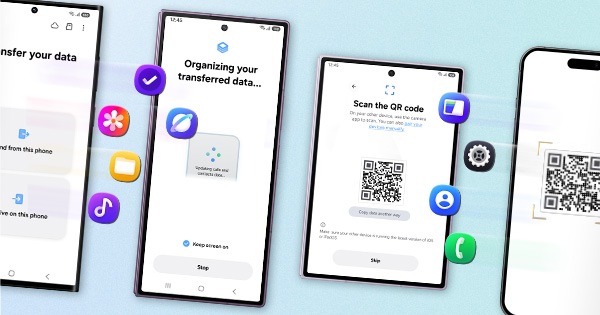
4. Reset the device. (Kindly create data backup of your device via SMART switch mobile application or http://www.samsung.com/in/support/smartswitch pc suite).
After following the above steps if issue still persists, register your concern in Samsung members app Samsung member> get help> Error reports> Select Symptom category > describe problem in detail and Send.
Thank you for writing to Samsung.
Warm Regards,
Samsung Customer Support
- Mark as New
- Subscribe
- Subscribe to RSS Feed
- Permalink
- Report Inappropriate Content
07-25-2020 02:08 PM in
Galaxy Note


