

- Mark as New
- Bookmark
- Subscribe
- Subscribe to RSS Feed
- Permalink
- Report Inappropriate Content
09-14-2024 01:35 AM in
Galaxy M

- Mark as New
- Subscribe
- Subscribe to RSS Feed
- Permalink
- Report Inappropriate Content
09-14-2024 01:40 AM in
Galaxy M
- Mark as New
- Subscribe
- Subscribe to RSS Feed
- Permalink
- Report Inappropriate Content
09-14-2024 01:42 AM (Last edited 09-14-2024 01:43 AM ) in
Galaxy M
- Mark as New
- Subscribe
- Subscribe to RSS Feed
- Permalink
- Report Inappropriate Content
09-14-2024 01:43 AM in
Galaxy M
- Mark as New
- Subscribe
- Subscribe to RSS Feed
- Permalink
- Report Inappropriate Content
09-14-2024 01:45 AM in
Galaxy M
- Mark as New
- Subscribe
- Subscribe to RSS Feed
- Permalink
- Report Inappropriate Content
09-14-2024 02:08 AM in
Galaxy MBut now we get scared of an update

- Mark as New
- Subscribe
- Subscribe to RSS Feed
- Permalink
- Report Inappropriate Content
09-14-2024 07:04 AM (Last edited 09-14-2024 07:05 AM ) in
Galaxy M
 cs_member10
- Mark as New
- Subscribe
- Subscribe to RSS Feed
- Permalink
09-14-2024 05:36 PM in
Galaxy MDear Samsung member,
Greetings from Samsung customer support.
As per your query, kindly follow the easy troubleshooting steps which might help to solve the issue.
Kindly restart your device once: To power off through Quick settings, swipe down from the top of the screen. Tap the Power icon in the upper right of the screen (next to the Settings icon), and then tap Power off.
Update device software (If Software update available): https://www.samsung.com/in/support/mobile-devices/samsung-galaxy-smartphone-how-to-update-software/
You can reset your device by following the steps.
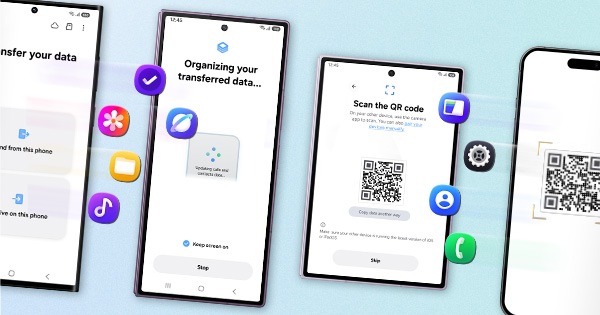
1. Kindly create a data backup of your device via the SMART switch mobile application or http://www.samsung.com/in/support/smartswitch pc suite.
2. Remember the Google password before resetting the device because it is required during initial setup.
3. If you do not remember then advise to reset (Forgot password) his/her Google account.
Path: Settings> General Management.>Reset>Temporary cloud backup or External storage backup>After backup tab on Factory data reset to reset your device to its factory default settings.
This will erase all data, including files and downloaded apps.
In case the issue still occurs, please visit the service center and inspect your device with the technical team end, they will provide you with all the information in a better way after inspecting the device physically.
You can locate your nearest service center with this given link: https://www.samsung.com/in/support/service-center/
Warm Regards,
Samsung Customer Support.

- Mark as New
- Subscribe
- Subscribe to RSS Feed
- Permalink
- Report Inappropriate Content
09-23-2024 10:35 PM in
Galaxy M
