Original topic:

Send Feedback / Report a Bug to Samsung

(Topic created on: 07-01-2024 11:12 AM)
507 Views
Aashish
Expert Level 4
Options
Community Guidelines
Please follow the steps below to report a bug/an error or to provide feedback directly to the Samsung developer team.

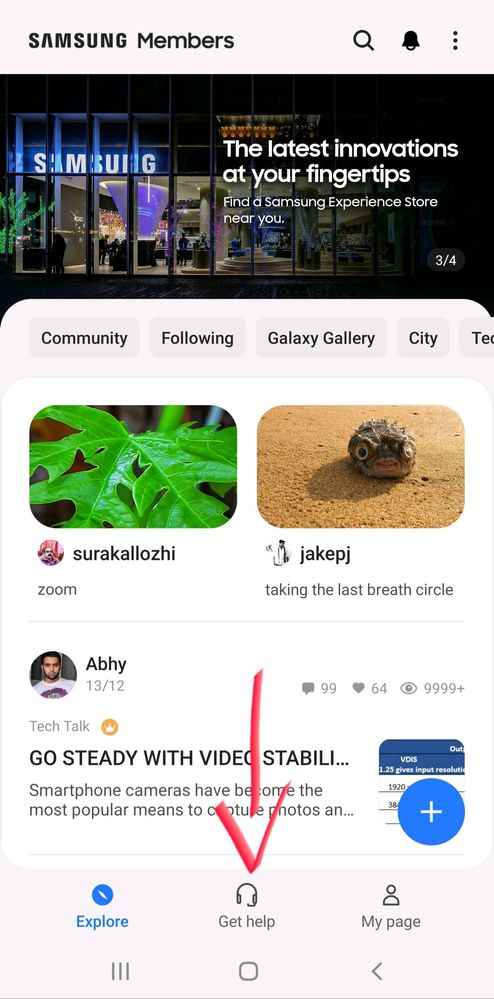
STEP 1- Open the Samsung Members App, here you will first see the homepage as shown in picture below.
In the tab at the bottom of the screen, click on 'Get Help' (red arrow).
image


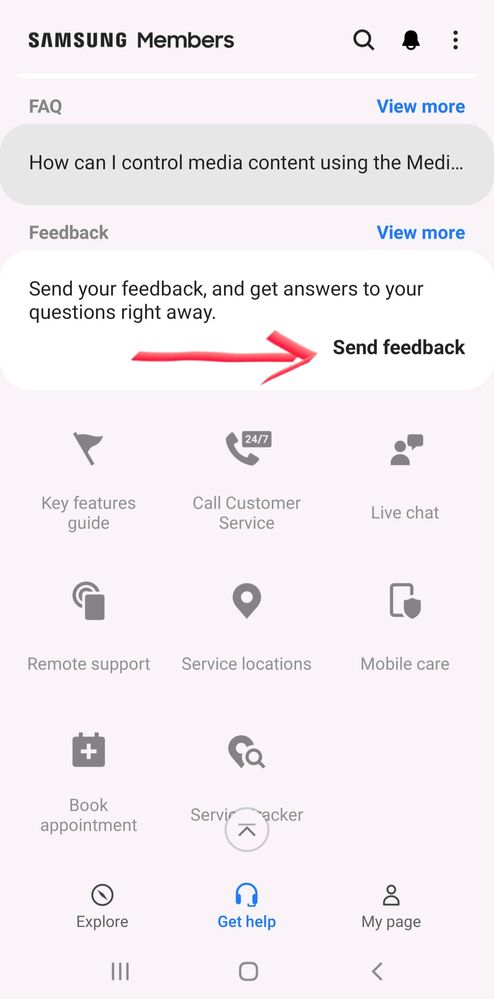
STEP 2- Select 'Send Feedback' (red arrow). Here you also get options like contacting Customer Service through Live Chat or Call and also instant troubleshooting using Remote Support. An option to find Service Centres and Track Repairs is also present.

image


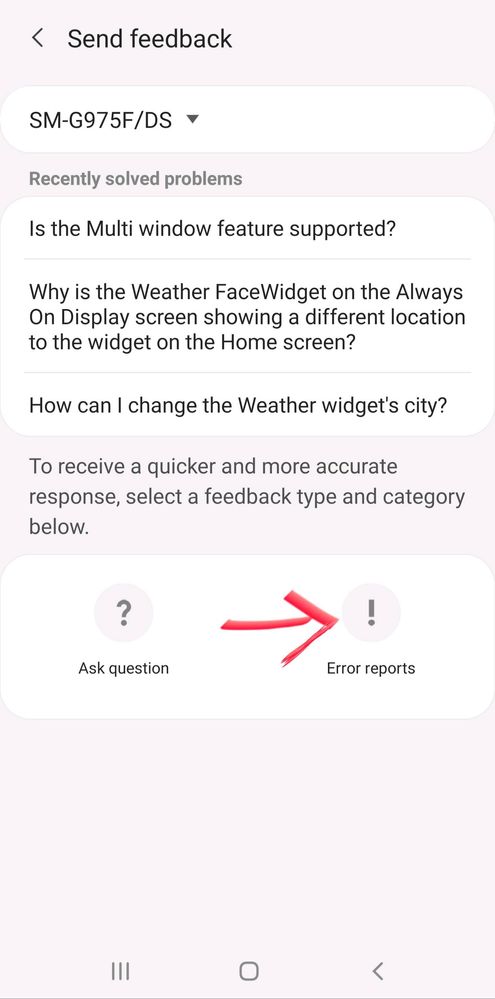
STEP 3- Select the 'Error reports!' (red arrow) option.

image


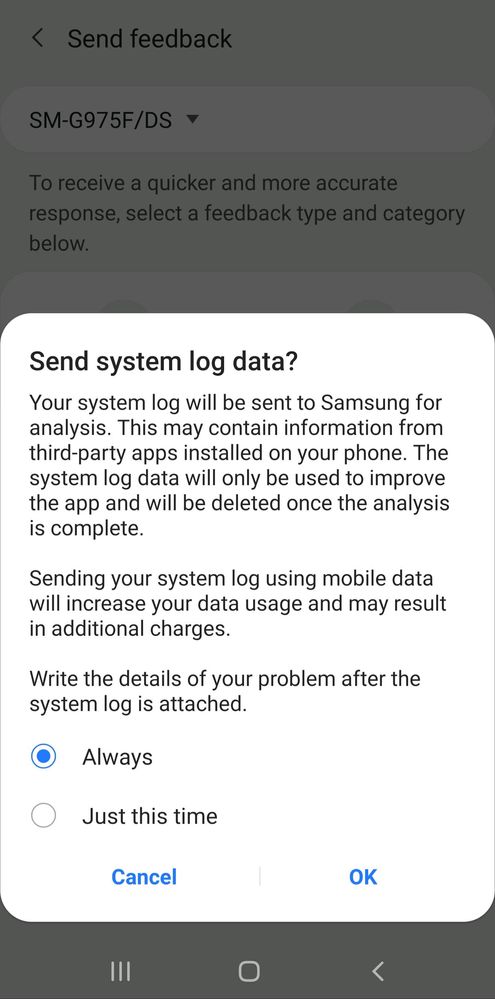
Note- A pop up asking you permission for sending log data from phone may be encountered. This log is used to analyze system status, diagnose errors and to further enhance performance.
Although this option uses mobile data, I suggest to keep it at Always.

image


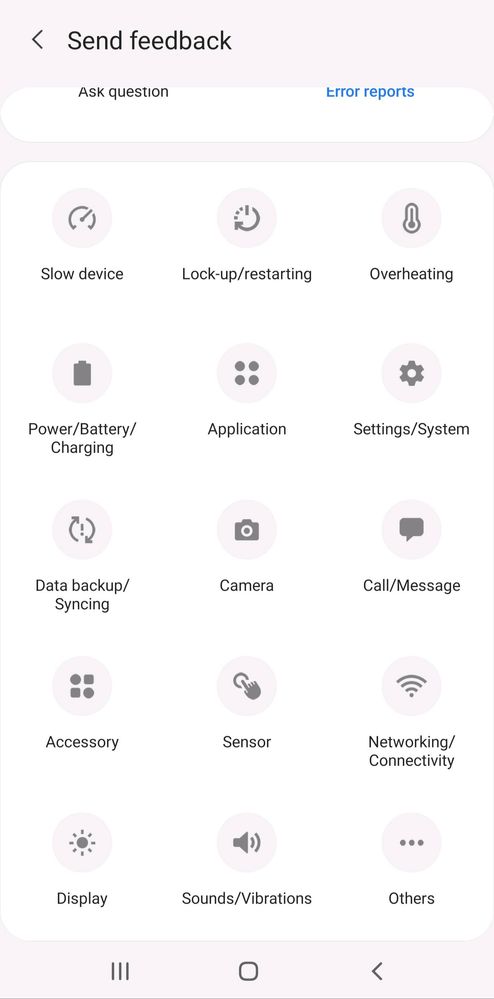
STEP 4- Select the relevant option according to the problem here. Just for an illustration I will select the Others option and proceed further.
image


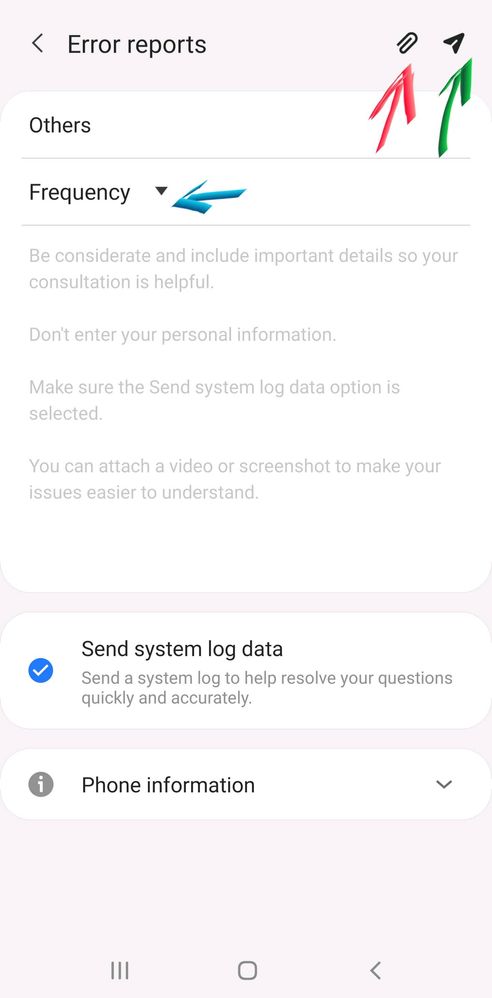
STEP 5- The error reporting page will open.
The Frequency (blue arrow) drop down has to be set at the appropriate value, if the problem occurs Sometimes then select that or select Always if it occurs everytime, if it happened only once then select Once.

In the text box below the frequency tab, describe your problem as accurately as possible along with steps to recreate it if possible.

The Paperclip icon (red arrow) on top right can be used to attach screenshots of errors, videos recreating errors or such. 

Finally the Paper plane (green arrow) icon is used to send the report to Samsung. 

image


Note- During collection of logs the phone might become a bit slow or unresponsive transiently.
Do not close the app until the error log is sent which will then be reported in the status bar as a notification.


227 Comments
rajkumarjain
Beginner Level 2
Community Guidelines
I buy z 4 flip and in 1.5year screen not working
0 Likes
rajkumarjain
Beginner Level 2
Community Guidelines
Not satisfy this time
0 Likes
wutdahail
Active Level 2
Community Guidelines
Ummm...... am so sad that samsung is not letting me to download GOOD LOCK and AR EMOJI atleast it supports right 😔. Pls allow me to download them
0 Likes
Hemant08
Beginner Level 2
Community Guidelines
Please add password for listening or delete recording folder call or folder
0 Likes
Hemant08
Beginner Level 2
Community Guidelines
Please ad password for call recording folder for lessening or delete
0 Likes
Luffy27
Beginner Level 2
Community Guidelines
I want the bixby vision back in my phone i paid 24000 for this phone please launch the bixby in A series
0 Likes
sonyabapuu
Beginner Level 2
Community Guidelines
Hang a Phone please replace the Phone
0 Likes
sonyabapuu
Beginner Level 2
Community Guidelines
Not working a fingerprint sensor
0 Likes
HARSHIShri23
Beginner Level 2
Community Guidelines
Please improve bluetooth and wifi connections on Galaxy A14 5G. It is auto connecting previously connected audio devices.
0 Likes
HIMANSH_U2
Beginner Level 2
Community Guidelines
Why this problem come in my mobile no any apk installed in my phone 1720314595000.jpg
0 Likes