

RishavAgrawal
Active Level 6
Options
- Mark as New
- Bookmark
- Subscribe
- Subscribe to RSS Feed
- Permalink
- Report Inappropriate Content
05-22-2020 02:30 PM in
Tech TalkTo clean your phone, here are a few guidelines to follow:
- Before cleaning, power down your Galaxy smartphone, remove any case or cover, and unplug any cables or accessories.
- Use a soft, lint free, microfibre cloth such as a camera lens cleaning cloth to gently wipe the exterior surface of the phone.
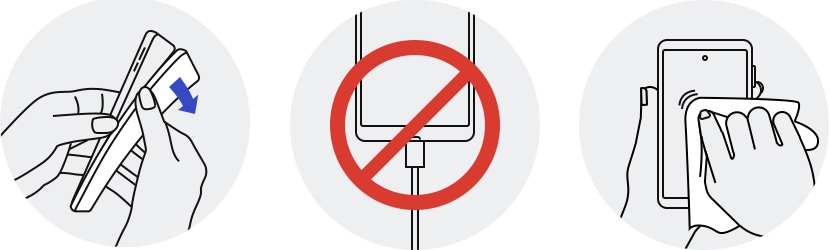
- Avoid getting moisture in any opening and do not apply liquid solutions directly to your phone. If necessary, dampen the corner of your cloth with a small amount of distilled water or disinfectant, such as a hypochlorous acid – based (50-80ppm) or alcohol-based (more than 70% ethanol or isopropyl alcohol) product, and gently wipe the front and back of your phone without applying too much pressure. Avoid excessive wiping.
- Do not use compressed air, and do not apply or spray bleaches or liquid solutions directly on your phone.
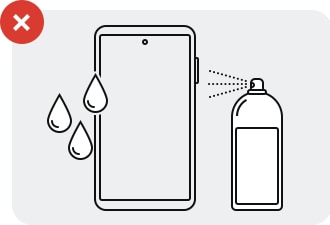
- This cleaning recommendation is only intended for the glass, ceramic and metal surfaces of your phone; it is not recommended for soft accessories, i.e. those that are made of leather, rubber or plastic.
Note:
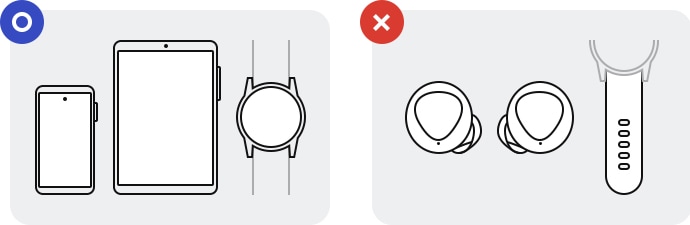
- Guidelines applies to : Galaxy smartphones , Galaxy tablets and the Galaxy Watch (excluding watch straps).
- Guidlines not applicable for : Galaxy Buds, keyboards (external keyboard and those of Galaxy laptops), plastic straps for wearables, and any other Samsung product not explicitly listed.
- Tags:
- GalaxyInfluencer
0 Comments

