

- Mark as New
- Bookmark
- Subscribe
- Subscribe to RSS Feed
- Permalink
- Report Inappropriate Content
09-08-2021 10:40 PM in
Galaxy S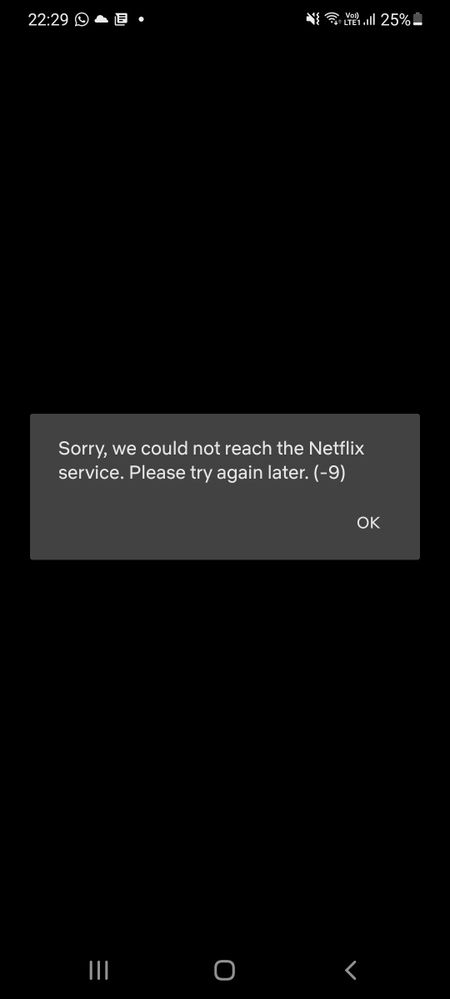
Solved! Go to Solution.
- Mark as New
- Subscribe
- Subscribe to RSS Feed
- Permalink
- Report Inappropriate Content
09-08-2021 11:30 PM in
Galaxy S
- Mark as New
- Subscribe
- Subscribe to RSS Feed
- Permalink
- Report Inappropriate Content
09-08-2021 11:25 PM in
Galaxy S
- Mark as New
- Subscribe
- Subscribe to RSS Feed
- Permalink
- Report Inappropriate Content
09-08-2021 11:25 PM in
Galaxy S
- Mark as New
- Subscribe
- Subscribe to RSS Feed
- Permalink
- Report Inappropriate Content
09-08-2021 11:31 PM in
Galaxy S
- Mark as New
- Subscribe
- Subscribe to RSS Feed
- Permalink
- Report Inappropriate Content
09-08-2021 11:34 PM in
Galaxy S
- Mark as New
- Subscribe
- Subscribe to RSS Feed
- Permalink
- Report Inappropriate Content
09-08-2021 11:37 PM in
Galaxy S
- Mark as New
- Subscribe
- Subscribe to RSS Feed
- Permalink
- Report Inappropriate Content
09-08-2021 11:40 PM in
Galaxy S
- Mark as New
- Subscribe
- Subscribe to RSS Feed
- Permalink
- Report Inappropriate Content
09-09-2021 12:16 AM in
Galaxy S

- Mark as New
- Subscribe
- Subscribe to RSS Feed
- Permalink
- Report Inappropriate Content
09-09-2021 08:12 AM in
Galaxy S1) clear cache and data of Netflix
2) open settings then apps, then click on Netflix then click on the three dots on the upright section and click uninstall updates (this won't void the warranty of the phone)
If you find this helpful kindly click on the three dots and click accept as solution.
- Mark as New
- Subscribe
- Subscribe to RSS Feed
- Permalink
- Report Inappropriate Content
09-09-2021 08:39 AM in
Galaxy S
