dipto9999
Active Level 3
Options
- Mark as New
- Subscribe to RSS Feed
- Permalink
08-28-2019 09:29 AM in
Galaxy M
Niketvaghela
Active Level 6
Options
- Mark as New
- Subscribe to RSS Feed
- Permalink
08-28-2019 09:46 AM in
Galaxy M
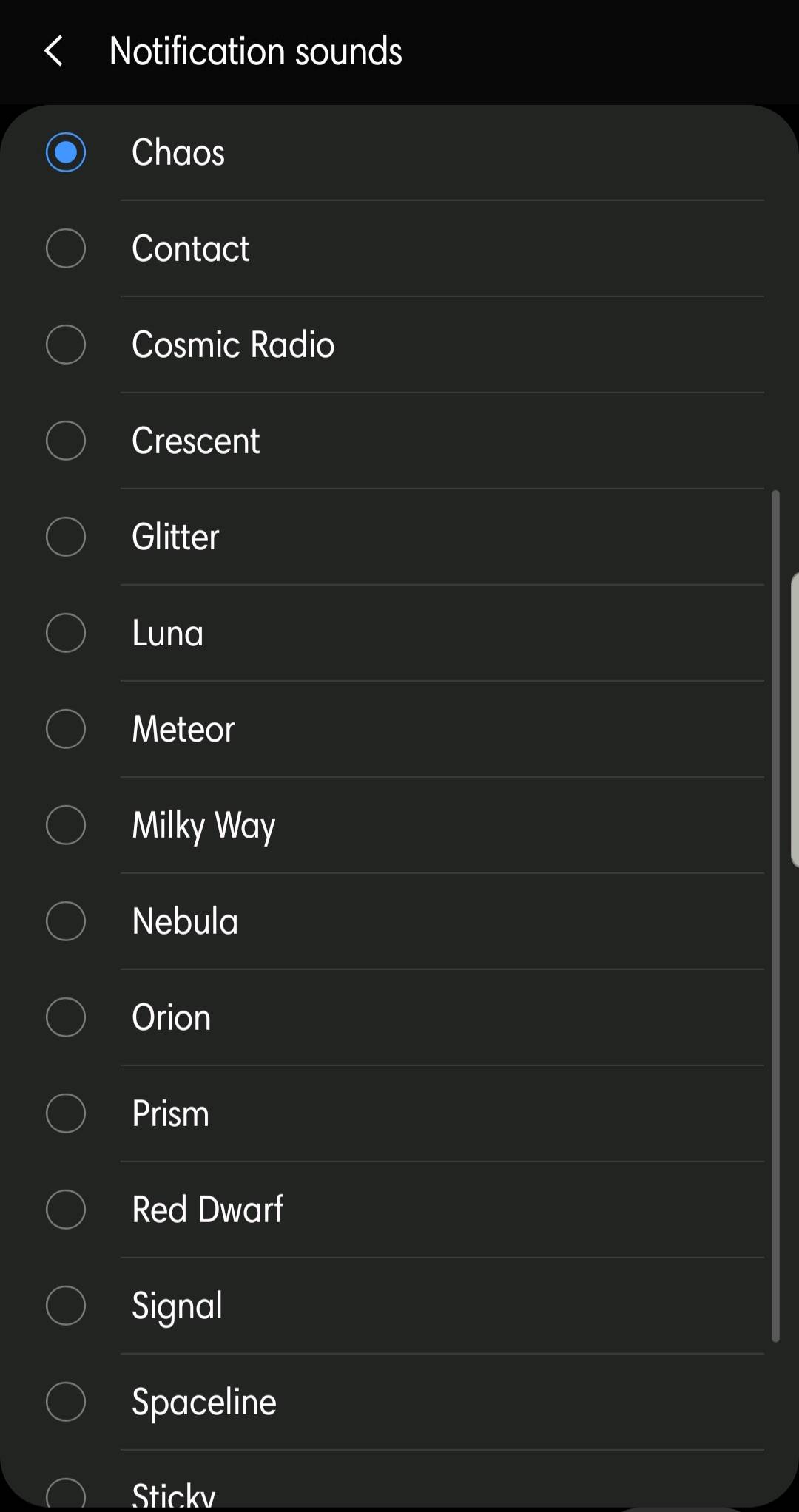
go to settings --- sounds and vibraton --- notification sound
dipto9999
Active Level 3
Options
- Mark as New
- Subscribe to RSS Feed
- Permalink
08-28-2019 10:01 AM in
Galaxy M
but there is no default notification option.....
sim1 notification sound is default notification sound...but it's very disgusting....
i want different notification sound between sim1 and default
sim1 notification sound is default notification sound...but it's very disgusting....
i want different notification sound between sim1 and default

dipto9999
Active Level 3
Options
- Mark as New
- Subscribe to RSS Feed
- Permalink
08-28-2019 10:02 AM in
Galaxy M
but there is no default notification option.....
sim1 notification sound is default notification sound...but it's very disgusting....
i want different notification sound between sim1 and default
sim1 notification sound is default notification sound...but it's very disgusting....
i want different notification sound between sim1 and default

Sidhabhi
★★
Options
- Mark as New
- Subscribe to RSS Feed
- Permalink
08-28-2019 10:03 AM (Last edited 08-28-2019 10:03 AM ) in
Galaxy M
Bro,
Go to settings
Select sounds and vibration
and now click on notification sounds
Go to settings
Select sounds and vibration
and now click on notification sounds
Solution
Sidhabhi
★★
Options
- Mark as New
- Subscribe to RSS Feed
- Permalink
08-28-2019 10:29 AM (Last edited 08-28-2019 10:30 AM ) in
Galaxy M
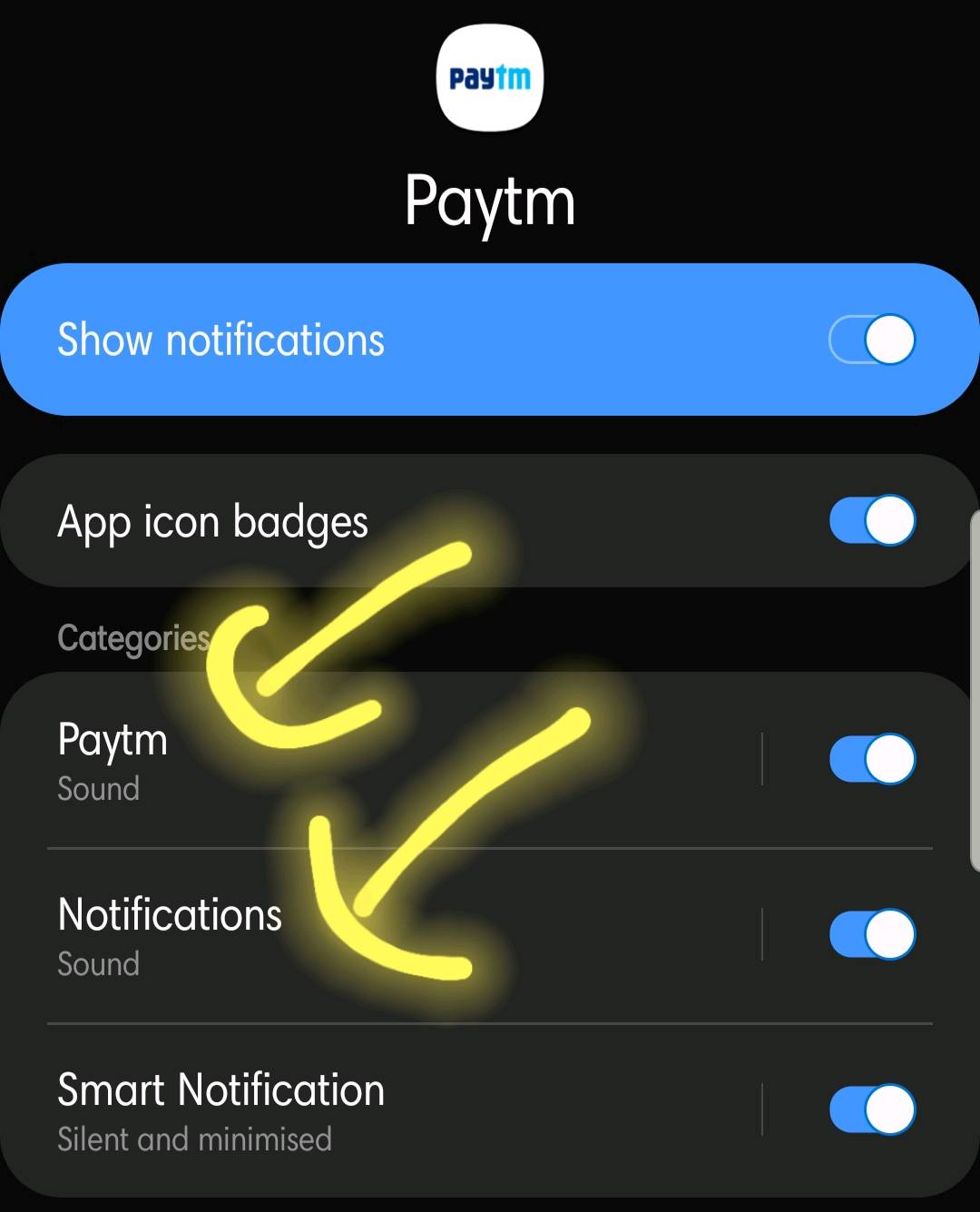
Bro, if you are talking about notification sounds of different applications then you have to do it individually for each and every apps..
That you can achieve by selecting apps inside applications
select applications
click on required apps
select notifications and change sound
That you can achieve by selecting apps inside applications
select applications
click on required apps
select notifications and change sound