

- Mark as New
- Bookmark
- Subscribe
- Subscribe to RSS Feed
- Permalink
- Report Inappropriate Content
11-19-2020 08:28 PM in
Tech Talk
- Mark as New
- Subscribe
- Subscribe to RSS Feed
- Permalink
- Report Inappropriate Content
11-19-2020 09:01 PM in
Tech Talk.
SO SAMABA WHAT U CAN JUST DO THAT FACTORY REBOOT YOU PHONE ( IF YOU DIDN'T HAVE ANT NECESSARY DATA ON YOUR PHONE) THEN U CAN GET OUT OF THE THE PROBLEM
- Mark as New
- Subscribe
- Subscribe to RSS Feed
- Permalink
- Report Inappropriate Content
11-19-2020 09:02 PM in
Tech TalkTJANK YOU SAMABA

- Mark as New
- Subscribe
- Subscribe to RSS Feed
- Permalink
- Report Inappropriate Content
11-19-2020 09:14 PM in
Tech TalkA. Wipe Cache Partition.
Steps to perform.
1) Turn off the device.
2) Press and hold the Volume Up key and the spower button.
3) When the Android logo displays, release all keys.
4) Press the Volume down key to navigate and select "Wipe cache partition".
5) Press Power key to select. When the wipe cache partition is complete, Select Reboot System.
6) Press the Power key to restart the device.

- Mark as New
- Subscribe
- Subscribe to RSS Feed
- Permalink
- Report Inappropriate Content
11-21-2020 09:00 PM in
Tech TalkDear Samsung Member,
Greetings from Samsung Customer Support!
We apologize for the inconvenience caused to you. Please perform the below mentioned quick steps to resolve the hanging issue:-
1. Ensure 20% of internal memory of device is free (Scroll down notification panel > Setting > Device care> storage).
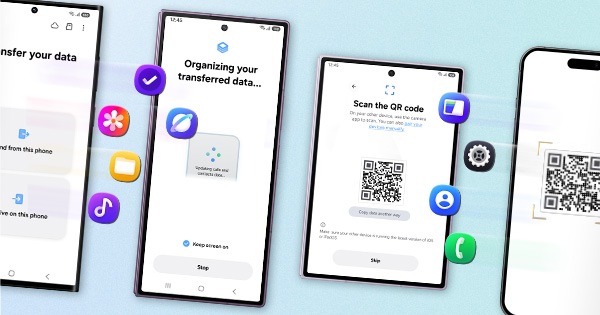
2. Reset the device: -Kindly create data backup of your device via SMART switch mobile application or http://www.samsung.com/in/support/smartswitch pc suite.
Tap on Settings>Tap on General Management>Tap on Reset.
For more information kindly click on given link:-
https://www.samsung.com/in/support/mobile-devices/how-to-restart-the-device-when-freezed-or-hanged/
After performing above steps if the issue still persist kindly send us the screenshot, videos and error log file with in 15 minutes of issue occurrence through error report section from Samsung Member Application :- Samsung Member Application > click on get help > send feedback > error report, so that we can help you out to solve the issue.
Thank you for writing to Samsung.
Warm Regards,
Samsung Customer Support


- Mark as New
- Subscribe
- Subscribe to RSS Feed
- Permalink
- Report Inappropriate Content
12-18-2020 04:29 PM in
Tech Talk
