

- Mark as New
- Bookmark
- Subscribe
- Subscribe to RSS Feed
- Permalink
- Report Inappropriate Content
02-26-2026 12:15 AM in
Tech TalkDear Samsung Support Team,
I am writing to report a persistent issue with Samsung Notes that significantly affects usability for academic work.
When exporting notes as PDF, highlighted text becomes opaque and obscures the underlying content. Instead of appearing as a transparent highlighter, the exported file shows solid color blocks that make the text difficult or impossible to read. This issue does not occur within the Samsung Notes app itself and only appears after exporting to PDF or viewing the file in external PDF viewers.
This behavior has been consistently reproducible across different notes and export methods (Save as PDF and Print → Save as PDF). It is particularly problematic for students who rely on highlighting for revision and sharing notes.
Key observations:
- Highlights render correctly inside Samsung Notes.
- Exported PDFs lose transparency and make text unreadable.
- Lowering opacity partially helps but does not fully resolve the issue.
- The problem has been widely reported in Samsung Community forums and appears to be a long-standing bug.
This issue affects productivity and academic workflows where accurate PDF export is essential. I kindly request that this be investigated and addressed in a future update. If this is a rendering limitation, an option such as “Export as flattened image PDF” or improved transparency handling would be extremely helpful.
Please let me know if you need additional details such as device model, Android version, or Samsung Notes version to assist with troubleshooting.
Thank you for your time and support. I hope this issue can be resolved in an upcoming update.

- Mark as New
- Subscribe
- Subscribe to RSS Feed
- Permalink
- Report Inappropriate Content
02-26-2026 04:10 AM in
Tech Talk
 cs_member10
- Mark as New
- Subscribe
- Subscribe to RSS Feed
- Permalink
02-26-2026 12:53 PM in
Tech TalkDear Samsung member,
Greetings from Samsung Customer Support!
We regret to hear about your experience with our product. Please believe that this is not a usual occurrence.
Please perform the below-mentioned troubleshooting steps, these may help in resolving your concern.
● Check app cache: Settings > Device care > Storage > CLEAN NOW.
● Clear cache memory of a particular application: Settings > Apps > pick the app > Storage > Clear Cache.
● Reset the device Settings: Settings > General Management > Reset settings>Reset all settings to their default.
● Update software: Go to Settings > Software update > Download and install > Check for software update > If Software update available > Download > Downloading updates > Install now
Note: Your phone will restart after the update is installed.
● You can reset your device by following the steps.
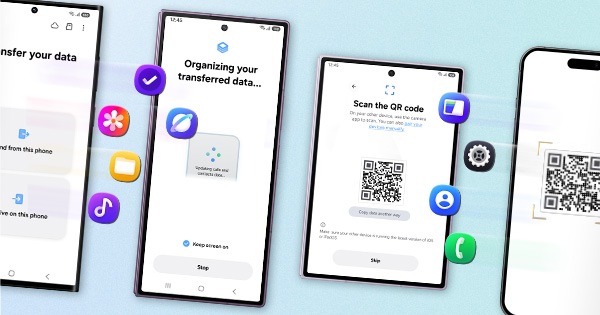
1. Kindly create a data backup of your device via the SMART switch mobile application or http://www.samsung.com/in/support/smartswitch pc suite.
2. Remember the Google password before resetting the device because it is required during initial setup.
3. If you do not remember password, then advise to reset (Forgot password) your Google account.
Path: Settings> General Management>Reset>Temporary cloud backup or External storage backup>After backup tab on Factory data reset to reset your device to its factory default settings.
This will erase all data, including files and downloaded apps.
If the issue persists, kindly report the problems with a log file. To share a log file, click on the Samsung Members Application (Open Samsung Members Application > Support> Tap on send feedback> Choose Composer> Select error report> select the appropriate issue category> Type your query and send).
Warm Regards,
Samsung Customer Support

- Mark as New
- Subscribe
- Subscribe to RSS Feed
- Permalink
- Report Inappropriate Content
03-08-2026 09:34 AM in
Tech Talk- I am faced the same problem any one have temporary solution??
- Mark as New
- Subscribe
- Subscribe to RSS Feed
- Permalink
- Report Inappropriate Content
03-08-2026 11:09 AM in
Tech Talk
- Mark as New
- Subscribe
- Subscribe to RSS Feed
- Permalink
- Report Inappropriate Content
03-08-2026 04:33 PM in
Tech Talk
- Mark as New
- Subscribe
- Subscribe to RSS Feed
- Permalink
- Report Inappropriate Content
03-08-2026 07:48 PM in
Tech Talk
- Mark as New
- Subscribe
- Subscribe to RSS Feed
- Permalink
- Report Inappropriate Content
03-08-2026 04:33 PM (Last edited 03-08-2026 04:34 PM ) in
Tech Talk
- Mark as New
- Subscribe
- Subscribe to RSS Feed
- Permalink
- Report Inappropriate Content
03-08-2026 07:50 PM (Last edited 03-08-2026 07:51 PM ) in
Tech Talk
- Mark as New
- Subscribe
- Subscribe to RSS Feed
- Permalink
- Report Inappropriate Content
03-08-2026 04:34 PM in
Tech Talk
