

- Mark as New
- Bookmark
- Subscribe
- Subscribe to RSS Feed
- Permalink
- Report Inappropriate Content
05-11-2026 05:03 PM in
Others


- Mark as New
- Subscribe
- Subscribe to RSS Feed
- Permalink
- Report Inappropriate Content
05-11-2026 05:15 PM in
Others
- Mark as New
- Subscribe
- Subscribe to RSS Feed
- Permalink
- Report Inappropriate Content
05-11-2026 05:21 PM in
Others
- Mark as New
- Subscribe
- Subscribe to RSS Feed
- Permalink
- Report Inappropriate Content
05-12-2026 12:04 PM in
Others
- Mark as New
- Subscribe
- Subscribe to RSS Feed
- Permalink
- Report Inappropriate Content
05-12-2026 01:36 PM in
Others
 cs_member10
- Mark as New
- Subscribe
- Subscribe to RSS Feed
- Permalink
05-13-2026 05:36 PM in
OthersDear Samsung Member,
Greetings from Samsung Customer Support!
At Samsung, we always aim to provide impeccable services to our customers, and we highly regret that you feel this way.
Please follow these easy troubleshooting steps which may help in resolving this issue:
● Kindly restart your device.
● Update software on device: apps screen > Settings > Software update > Download and install > Download > Install now.
● Reset the device:
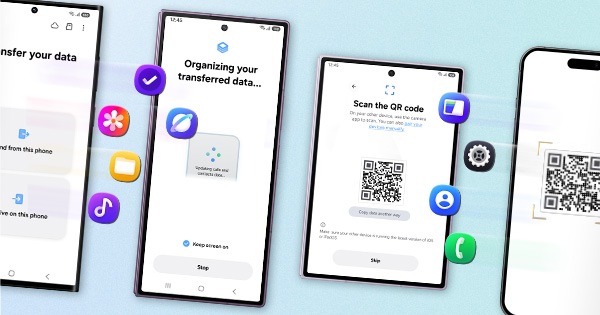
Note: Kindly create data backup of your device via SMART switch mobile application or http://www.samsung.com/in/support/smartswitch pc suite. Remember Google password before resetting the device because it required during initial setup. If you don't remember the password, then reset (Forgot password) your google account.
Settings > General Management > Reset > Temporary cloud backup or External storage backup > Factory data reset (This will erase all data, including files and downloaded apps.)
If the issue still occurs, please visit the service center for a physical inspection of your device. You can locate your nearest service center with this given link: https://www.samsung.com/in/support/service-center/
Warm Regards,
Samsung Customer Support


- Mark as New
- Subscribe
- Subscribe to RSS Feed
- Permalink
- Report Inappropriate Content
05-15-2026 11:37 PM in
Others
- Mark as New
- Subscribe
- Subscribe to RSS Feed
- Permalink
- Report Inappropriate Content
05-16-2026 04:06 AM in
Others
- Mark as New
- Subscribe
- Subscribe to RSS Feed
- Permalink
- Report Inappropriate Content
05-16-2026 04:53 AM in
Others
- Mark as New
- Subscribe
- Subscribe to RSS Feed
- Permalink
- Report Inappropriate Content
05-16-2026 02:28 AM in
Others.
.
This isn’t normal wear and tear. It points to an underlying design or manufacturing flaw.
.
.
Samsung has a responsibility to address such core issues.
.
Instead, they are choosing to deny accountability and shift the burden onto customers—asking them to pay for what is clearly a defect.
That’s not just disappointing, it’s unacceptable.
.
.
Multiple users reporting it after updates, yet Samsung continues to show negligence by shifting the cost onto customers instead of acknowledging the problem.
.
.
In my case as well, the display issue appeared immediately after an official update, but it is still being treated as a chargeable repair since one goodwill support was already given.
.
.
So Samsung’s solution is simple:
👉 Push update
👉 Screen gets line issue
👉 Say “out of warranty”
👉 Charge ₹12,000 from Customer
.
.
What makes this worse?
Posts exposing this issue mysteriously get removed once they start gaining high views and traction on Samsung Members.
.
.
If Samsung spent half the effort fixing the issue instead of removing high-view posts, customers wouldn’t be this frustrated.
.
.
Removing posts only after they gain attention makes it look less like moderation and more like damage control. Silencing genuine customer complaints will never erase the problem.
.
.
https://r2.community.samsung.com/t5/Galaxy-S/Repeated-Vertical-Pink-Line-Issue-After-Software-Update...
.
.
Beware-of-Updates 🚨
.
https://r2.community.samsung.com/t5/Galaxy-S/Beware-of-Software-updates/td-p/22020455?src=ShareByUse...

