

- Mark as New
- Bookmark
- Subscribe
- Subscribe to RSS Feed
- Permalink
- Report Inappropriate Content
02-17-2026 01:46 PM in
Galaxy S

- Mark as New
- Subscribe
- Subscribe to RSS Feed
- Permalink
- Report Inappropriate Content
02-17-2026 06:21 PM in
Galaxy S
- Mark as New
- Subscribe
- Subscribe to RSS Feed
- Permalink
- Report Inappropriate Content
02-27-2026 11:31 AM in
Galaxy S
 cs_member10
- Mark as New
- Subscribe
- Subscribe to RSS Feed
- Permalink
02-18-2026 10:16 AM in
Galaxy SDear Samsung Member,
Greetings from Samsung Customer Support!
We regret to hear about your experience with our product. Please believe that this is not a usual occurrence.
We would request you to kindly perform the following steps to resolve your issues.
1. Galaxy device auto restart issue:
→ Kindly use a genuine Samsung charger.
We always recommend using a genuine Samsung charger for charging your device.
→ There are two methods to disable the auto restart function.
1- Tap on Settings> General management>Reset > Disable Auto restart (if enabled)> Auto restart disabled.
2- Tap on Settings> Battery and device care> Three dots> Automation> Auto restart at set times if enabled.
→ If you are facing this issue after installing any new application then uninstall that application.
Tap on Settings> Apps > desired app> Uninstall> Ok.
2. Galaxy device freezing issue: ● Check space availability: Settings > Battery and device Care > Storage.
● Check RAM in your device: Settings > Battery and device Care > Memory.
● Check app cache: Settings > Device care > Storage > CLEAN NOW.
● Clear cache memory of a particular application: Settings > Apps > pick the app > Storage > Clear Cache.
● Close Background Apps.
● Remove third party application.
● Remove memory card: Apps > Settings > Device maintenance > Storage > More option > Storage settings > SD card > Unmount.
● Remove third party accessories.
● Kindly disable Power saving mode( if enable).
● Update the software if available: https://www.samsung.com/in/support/mobile-devices/samsung-galaxy-smartphone-how-to-update-software/
● You can reset your device by following the steps:
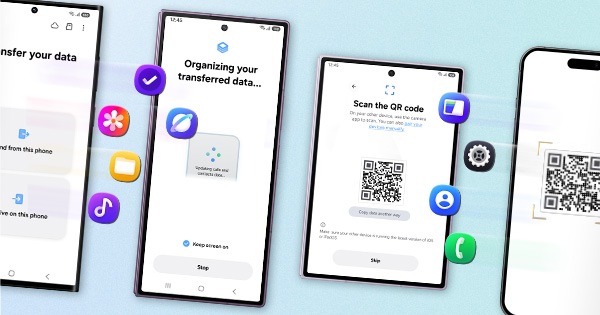
1. Kindly create a data backup of your device via the SMART switch mobile application or http://www.samsung.com/in/support/smartswitch pc suite.
2. Remember the Google password before resetting the device because it is required during initial setup.
3. If you do not remember, then advise to reset (Forgot password) your Google account.
Path: Settings> General Management>Reset>Temporary cloud backup or External storage backup>After backup tab on Factory data reset to reset your device to its factory default settings. This will erase all data, including files and downloaded apps.
If the issue persists, kindly report the problems with a log file. To share a log file, click on the Samsung Members Application (Open Samsung Members Application > Support> Tap on send feedback> Choose Composer> Select error report> Select the appropriate issue category> Type your query and send).
Warm Regards,
Samsung Customer Support

- Mark as New
- Subscribe
- Subscribe to RSS Feed
- Permalink
- Report Inappropriate Content
02-18-2026 10:25 AM in
Galaxy S
- Mark as New
- Subscribe
- Subscribe to RSS Feed
- Permalink
- Report Inappropriate Content
02-19-2026 12:13 PM (Last edited 02-19-2026 12:16 PM ) in
Galaxy S
- Mark as New
- Subscribe
- Subscribe to RSS Feed
- Permalink
- Report Inappropriate Content
02-22-2026 09:46 PM in
Galaxy S
- Mark as New
- Subscribe
- Subscribe to RSS Feed
- Permalink
- Report Inappropriate Content
02-23-2026 12:19 AM in
Galaxy S
- Mark as New
- Subscribe
- Subscribe to RSS Feed
- Permalink
- Report Inappropriate Content
02-23-2026 08:44 AM in
Galaxy S
- Mark as New
- Subscribe
- Subscribe to RSS Feed
- Permalink
- Report Inappropriate Content
02-23-2026 08:47 AM in
Galaxy SI have already submitted detailed error reports via the Samsung Members app (Log ID: [Insert Log ID if available]) showing "System UI is not responding" errors. Despite my hardware being in perfect working condition prior to this update, your support team’s only response has been to "visit a service center."
I would like to highlight the following points:
Known Issue: This is not an isolated incident. Numerous Galaxy S series users are reporting identical "boot loop" and "UI freeze" issues following the February 2026 security patch/One UI update.
Software vs. Hardware: My device logs clearly indicate a software conflict (System UI failure). Forcing a customer to visit a service center for a glitch caused by an OTA (Over-The-Air) update is unacceptable.
Longevity Commitment: Samsung has publicly committed to device longevity and software reliability. Pushing a mandatory update that "bricks" a functional flagship device contradicts this promise.
I am requesting the following:
A remote diagnostic review of my submitted logs by your technical engineering team.
Confirmation of an incoming OTA patch to fix this specific System UI stability issue.
A waiver of any "inspection" or "motherboard replacement" fees if a service center visit is truly required, as this failure was directly precipitated by Samsung’s own software.
I have been a loyal Samsung user and expect a solution that reflects the premium status of the S-series. I look forward to a prompt resolution.

