- Mark as New
- Bookmark
- Subscribe
- Subscribe to RSS Feed
- Permalink
- Report Inappropriate Content
01-05-2026 06:56 AM (Last edited 01-05-2026 06:56 AM ) in
Galaxy SSolved! Go to Solution.
1 Solution
Accepted Solutions

- Mark as New
- Subscribe
- Subscribe to RSS Feed
- Permalink
- Report Inappropriate Content
01-05-2026 10:52 PM in
Galaxy S
- Mark as New
- Subscribe
- Subscribe to RSS Feed
- Permalink
- Report Inappropriate Content
01-05-2026 07:56 AM in
Galaxy S
- Mark as New
- Subscribe
- Subscribe to RSS Feed
- Permalink
- Report Inappropriate Content
01-05-2026 08:28 AM in
Galaxy S
- Mark as New
- Subscribe
- Subscribe to RSS Feed
- Permalink
- Report Inappropriate Content
01-05-2026 10:52 PM in
Galaxy S
- Mark as New
- Subscribe
- Subscribe to RSS Feed
- Permalink
- Report Inappropriate Content
01-05-2026 10:52 PM in
Galaxy S
 cs_member10
- Mark as New
- Subscribe
- Subscribe to RSS Feed
- Permalink
01-06-2026 08:33 AM in
Galaxy SDear Samsung Member,
Greetings from Samsung Customer Support!
We would like to inform you that using the camera for extended periods, whether for videos or photos, can cause your device to heat up due to increased power consumption. We recommend closing these apps when they are not in use to help cool down your device.
If you continue to notice that your device is overheating during normal usage, please follow the steps below to troubleshoot the issue:
● Galaxy device heating issue: 1.Turn off Wi-Fi, GPS, Bluetooth, and other connectivity features when not using them.
2. Decrease the screen brightness.
3. Close background running apps.
4. Uninstall the unnecessary apps.
5. Reduce long duration of graphics intensive gaming sessions as it may cause heating issue.
6. Avoid usage of mobile phone when charging.
7. If the issue is still not been resolved, Reset the device:
IMPORTANT:
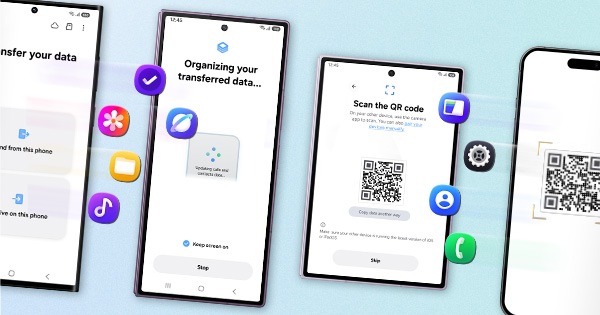
• Kindly create data backup of your device via SMART switch mobile application or http://www.samsung.com/in/support/smartswitch pc suite.
• Remember google password before resetting the device because it is required during initial setup.
• If you do not remember it, then reset (Forgot password) your google account.
• For this:
• Open Gmail (https://accounts.google.com/servicelogin) > forgot password >Select "try another way" > Next > Enter a new password > Next.
Please follow the below steps to reset the device:
Settings > General Management > Reset > Temporary cloud backup or External storage backup > tap on Factory data reset (This will erase all data, including files and downloaded apps)
If the issue persists, kindly report the problems with a log file. To share a log file, click on the Samsung Members Application (Open Samsung Members Application > Support> Tap on send feedback> Choose Composer> Select error report> Select the appropriate issue category> Type your query and send).
Warm Regards,
Samsung Customer Support