

- Mark as New
- Bookmark
- Subscribe
- Subscribe to RSS Feed
- Permalink
- Report Inappropriate Content
03-06-2025 07:49 AM in
Galaxy M
- Mark as New
- Subscribe
- Subscribe to RSS Feed
- Permalink
- Report Inappropriate Content
03-06-2025 07:52 AM in
Galaxy MAccept it as solution 👌 💯

- Mark as New
- Subscribe
- Subscribe to RSS Feed
- Permalink
- Report Inappropriate Content
03-06-2025 10:18 AM in
Galaxy M1. Restart Your Phone
Simple restart se temporary glitches fix ho jati hain. Power button daba ke "Restart" select karo.
2. Storage Check & Cleanup
Settings → Battery and device care → Storage jao aur unnecessary files, duplicate photos, aur unused apps delete karo.
More than 10GB free storage rakhne ki koshish karo.
3. Background Apps Close Karo
Recent apps button se extra open apps band karo.
Developer options me jaake Background process limit "At most 2 processes" pe set karo.
4. Software Update Check Karo
Settings → Software update → Download and install jao aur agar update available ho toh install karo.
5. Animations Reduce Karo (Speeds Up UI)
Settings → About Phone → Software information → Build Number pe 7 times tap karo (Developer mode enable ho jayega).
Settings → Developer options me jao, fir:
Window animation scale = 0.5x
Transition animation scale = 0.5x
Animator duration scale = 0.5x
6. Auto Sync & Background Apps Restrict Karo
Settings → Accounts & Backup → Manage Accounts me unnecessary Auto-sync off karo.
Settings → Battery & Device Care → Battery → Background Usage Limits me unused apps deep sleep me daalo.
7. Cache Clear Karo
Settings → Apps me jao, jo apps slow lag rahi hain (Chrome, Instagram, etc.) unko select karo aur Clear Cache karo.
Complete system cache clear ke liye Recovery Mode me jaake Wipe Cache Partition use karo.
8. Factory Reset (Last Option)
Agar kuch kaam nahi kare toh Settings → General Management → Reset → Factory Data Reset kar sakti ho. (Backup zaroor le lo!)
Yeh steps try karo, agar koi specific issue ho toh batao!
Accept this solution if you liked it😊

 cs_member10
- Mark as New
- Subscribe
- Subscribe to RSS Feed
- Permalink
03-06-2025 04:17 PM in
Galaxy MDear Samsung Member,
Greetings from Samsung Customer Support!
We regret to hear about your experience with our product. Please believe that this is not a usual occurrence.
Please perform the below-mentioned troubleshooting steps, these may help in resolving your concern.
● Check space availability: Settings > Battery and device Care > Storage.
● Check RAM in your device: Settings > Battery and device Care > Memory.
● Check app cache: Settings > Device care > Storage > CLEAN NOW.
● Clear cache memory of a particular application: Settings > Apps > pick the app > Storage > Clear Cache.
● Close Background Apps.
● Remove third-party applications.
● Remove memory card: Apps > Settings > Device maintenance > Storage > More option > Storage settings > SD card > Unmount.
● Remove third-party accessories.
● Kindly disable Power saving mode( if enable).
● Update the software if available: https://www.samsung.com/in/support/mobile-devices/samsung-galaxy-smartphone-how-to-update-software/
● You can reset your device by following the steps:
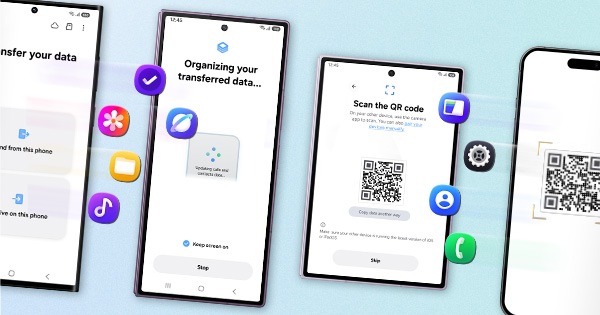
1. Kindly create a data backup of your device via the SMART switch mobile application or http://www.samsung.com/in/support/smartswitch pc suite.
2. Remember the Google password before resetting the device because it is required during initial setup.
3. If you do not remember the password then advise to reset (Forgot password) your Google account.
Path: Settings> General Management.>Reset>Temporary cloud backup or External storage backup>After backup tap on Factory data reset to reset your device to its factory default settings. This will erase all data, including files and downloaded apps.
In case the issue still occurs, please visit the service center for a physical inspection of your device. You can locate your nearest service center with this given link: https://www.samsung.com/in/support/service-center/
Warm Regards,
Samsung Customer Support


- Mark as New
- Subscribe
- Subscribe to RSS Feed
- Permalink
- Report Inappropriate Content
03-06-2025 04:25 PM in
Galaxy M
- Mark as New
- Subscribe
- Subscribe to RSS Feed
- Permalink
- Report Inappropriate Content
03-06-2025 04:26 PM in
Galaxy M
- Mark as New
- Subscribe
- Subscribe to RSS Feed
- Permalink
- Report Inappropriate Content
03-06-2025 05:56 PM in
Galaxy M
