vittuvj
Active Level 3
Options
- Mark as New
- Subscribe to RSS Feed
- Permalink
08-14-2018 06:37 PM (Last edited 03-14-2019 11:25 PM ) in
Galaxy J


5 Comments

someshmohakud
Active Level 7
Options
- Mark as New
- Subscribe to RSS Feed
- Permalink
08-14-2018 07:15 PM in
Galaxy J
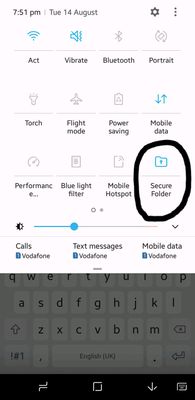
go to the notification bar and then open secure folder there then it comes to your apps

MiraclePanda
Expert Level 2
Options
- Mark as New
- Subscribe to RSS Feed
- Permalink
08-14-2018 07:52 PM (Last edited 03-13-2019 10:33 PM ) in
Galaxy J
just pull down quick panel & look for secure folder icon, touch that icon and it will turn blue now look in home screen