

- Mark as New
- Bookmark
- Subscribe
- Subscribe to RSS Feed
- Permalink
- Report Inappropriate Content
08-23-2023 11:58 PM in
Galaxy F
- Mark as New
- Subscribe
- Subscribe to RSS Feed
- Permalink
- Report Inappropriate Content
08-24-2023 08:08 AM in
Galaxy F
 cs_member10
- Mark as New
- Subscribe
- Subscribe to RSS Feed
- Permalink
08-25-2023 12:20 PM in
Galaxy FDear Samsung member,
Greetings from Samsung customer support.
We acknowledge your query and apologize for the inconvenience caused to you and will surely assist you regarding the same. Please follow the easy troubleshooting steps which might help to solve the issue.
Check the device in safe mode: Power off the device>Press and hold the Power key for one or two seconds to turn on the device>>When the Samsung logo appears, press and hold the Volume down key.
Note: If your device functions correctly in Safe Mode, it is most likely that the issue lies with a 3rd party application that can be uninstalled to resolve the problem.
To exit the safe mode, restart the device.
Update device software: Settings >> Software update >> Download and install>>Check for software update >> If Software update available>>Download>>Downloading updates>>Install now.
Note: Your phone will restart after the update is installed.
Reset the device:
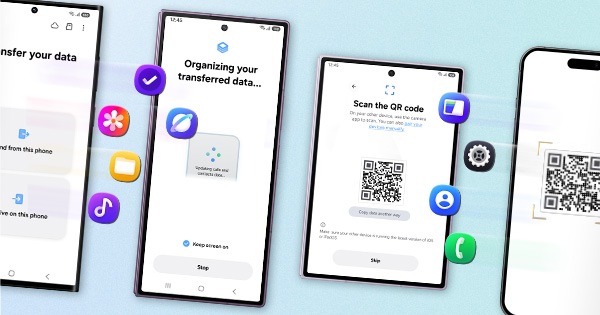
Note: Kindly create a data backup of your device via smart switch mobile application or http://www.samsung.com/in/support/smartswitch pc suite.
Remember the google password before resetting the device because it is required during the initial setup.
If you do not remember then advise to reset (Forgot password) the google account.
For this; Open Gmail (https://accounts.google.com/servicelogin)>>Select forgot password>>Select "try another way" like mobile number, security question etc.>>Select Next>>Enter a new password>>Tap on Next.
Apps>settings> general management>reset (Reset your device to its factory default settings. This will erase all data, including files and downloaded apps.)
In case the issue still occurs. We request you to kindly visit the service center for a physical inspection of your device. You can locate your nearest service center with this given link: https://www.samsung.com/in/support/service-center/
Thank you for writing to us.
Warm Regards,
Samsung Customer Support.


- Mark as New
- Subscribe
- Subscribe to RSS Feed
- Permalink
- Report Inappropriate Content
09-02-2023 01:56 PM in
Galaxy FIf it is a software related issue, then i kindly request Samsung to roll out updates to fix this issue...

- Mark as New
- Subscribe
- Subscribe to RSS Feed
- Permalink
- Report Inappropriate Content
07-07-2024 01:09 AM in
Galaxy F
