- Mark as New
- Bookmark
- Subscribe
- Subscribe to RSS Feed
- Permalink
- Report Inappropriate Content
2 weeks ago (Last edited 2 weeks ago ) in
Galaxy A
- Mark as New
- Subscribe
- Subscribe to RSS Feed
- Permalink
- Report Inappropriate Content
2 weeks ago in
Galaxy A
- Mark as New
- Subscribe
- Subscribe to RSS Feed
- Permalink
- Report Inappropriate Content
2 weeks ago (Last edited 2 weeks ago ) in
Galaxy A
- Mark as New
- Subscribe
- Subscribe to RSS Feed
- Permalink
- Report Inappropriate Content
2 weeks ago in
Galaxy Asnapdragon 🗿
mediatek☠️

 cs_member10
- Mark as New
- Subscribe
- Subscribe to RSS Feed
- Permalink
2 weeks ago in
Galaxy ADear Samsung Member,
Greetings from Samsung Customer Support!
As per your concern, we want to inform you that while using 5g networks due to higher power consumption causes the mobile phone to heat, and if the phone is connected to multiple networks at the same time, the battery may drain faster, and the phone heats more than usual.
● If you are facing more heating as compared to normal, kindly perform the following steps
1. Turn off Wi-Fi, GPS, Bluetooth, and other connectivity features when not using them.
2. Decrease the screen brightness.
3. Close background running apps.
4. Uninstall the unnecessary apps.
5. Reduce long duration of graphics intensive gaming sessions as it may cause heating issue.
6. Avoid usage of mobile phone when charging.
7. Update software: Go to Settings > Software update > Download and install > Checking for software update > Software update available > Tap on Download > Downloading updates > Tap on Install now.
Note: Your phone will restart after the update is installed.
8. If the issue is still not been resolved, Reset the device:
IMPORTANT:
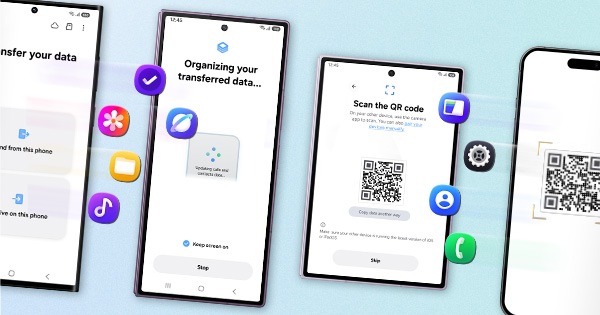
• Kindly create data backup of your device via SMART switch mobile application or http://www.samsung.com/in/support/smartswitch pc suite.
• Remember google password before resetting the device because it is required during initial setup.
• If you do not remember it, then reset, (Forgot password) your google account.
• For this:
• Open Gmail (https://accounts.google.com/servicelogin) > forgot password >Select ""try another way"" > Next > Enter a new password > Next.
● Please follow the below steps to reset the device:
Settings > General Management > Reset > Temporary cloud backup or External storage backup > tap on Factory data reset (This will erase all data, including files and downloaded apps)
● If the issue still persists, after performing all troubleshooting steps, would request you to please visit the service center. Below is the link to find nearest service center
http://www.samsung.com/in/support/servicelocation/
Warm Regards,
Samsung Customer Support