

- Mark as New
- Bookmark
- Subscribe
- Subscribe to RSS Feed
- Permalink
- Report Inappropriate Content
06-24-2025 04:57 PM in
Galaxy A
- Mark as New
- Subscribe
- Subscribe to RSS Feed
- Permalink
- Report Inappropriate Content
06-24-2025 05:02 PM in
Galaxy A
- Mark as New
- Subscribe
- Subscribe to RSS Feed
- Permalink
- Report Inappropriate Content
06-24-2025 07:53 PM in
Galaxy A
- Mark as New
- Subscribe
- Subscribe to RSS Feed
- Permalink
- Report Inappropriate Content
06-24-2025 09:09 PM in
Galaxy A
- Mark as New
- Subscribe
- Subscribe to RSS Feed
- Permalink
- Report Inappropriate Content
07-17-2025 11:45 AM in
Galaxy AVisited service center for this issue and i was asked to pay for the screen replacement as samsung is not providing free service to any other series other than S.
- Mark as New
- Subscribe
- Subscribe to RSS Feed
- Permalink
- Report Inappropriate Content
08-06-2025 10:53 AM in
Galaxy Ahttps://consumerhelpline.gov.in/user/dashboard.php
Raise a complaint in the consumer helpline as samsung is not replacing screens for the mistake they have done
- Mark as New
- Subscribe
- Subscribe to RSS Feed
- Permalink
- Report Inappropriate Content
06-24-2025 09:09 PM in
Galaxy A
 cs_member10
- Mark as New
- Subscribe
- Subscribe to RSS Feed
- Permalink
06-25-2025 09:00 AM in
Galaxy ADear Samsung Member,
Greetings from Samsung Customer Support!
At Samsung, we always aim to provide impeccable services to our customers, and we highly regret that you feel this way.
Please follow these easy troubleshooting steps which may help in resolving this issue:
● Kindly restart your device once: To power off through Quick settings, swipe down from the top of the screen. Tap the Power icon in the upper right of the screen (next to the Settings icon), and then tap Power off. Kindly power buttons on the device after by pressing power for 5-7 seconds.
● Update software on device: apps screen > Settings > Software update > Download and install > Download > Install now.
● Reset the device:
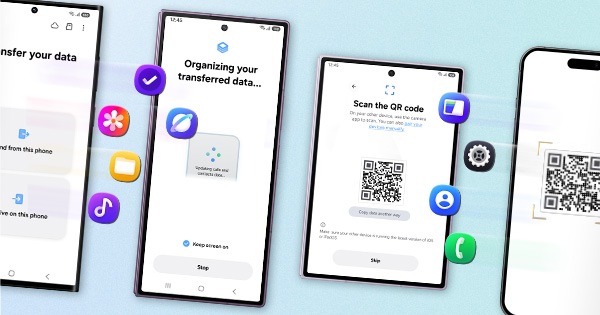
Note: Kindly create data backup of your device via SMART switch mobile application or http://www.samsung.com/in/support/smartswitch pc suite. Remember Google password before resetting the device because it required during initial setup. If you don't remember the password, then reset (Forgot password) your google account.
Settings > General Management > Reset > Temporary cloud backup or External storage backup > Factory data reset (This will erase all data, including files and downloaded apps.)
If the issue still occurs, please visit the service centre for a physical inspection of your device. You can locate your nearest service centre with this given link: https://www.samsung.com/in/support/service-center/
Warm Regards,
Samsung Customer Support

- Mark as New
- Subscribe
- Subscribe to RSS Feed
- Permalink
- Report Inappropriate Content
07-17-2025 11:44 AM in
Galaxy AAs per samsungs comment, i have visited the samsung service center and i was told the free replacement is only for S series phones. For all other series phones, free replacement is not available. If samsung want to serve only the S series customers, why do they even launch other phones without providing service. And why do a customer needs to pay for something for which samsung has messed up. There are huge number of people facing this issue due to the UI7 update and samsung just want to provide service to S series people
- Mark as New
- Subscribe
- Subscribe to RSS Feed
- Permalink
- Report Inappropriate Content
08-12-2025 12:24 PM in
Galaxy Ai agreed to pay for the display even though its not my fault, now samsung says display for A73 is not available.

