

kesavananbu
Active Level 3
Options
- Mark as New
- Bookmark
- Subscribe
- Subscribe to RSS Feed
- Permalink
- Report Inappropriate Content
02-03-2023 09:36 AM (Last edited 02-03-2023 10:25 AM ) in
Galaxy S
Please update to latest version in the samsung one ui software.

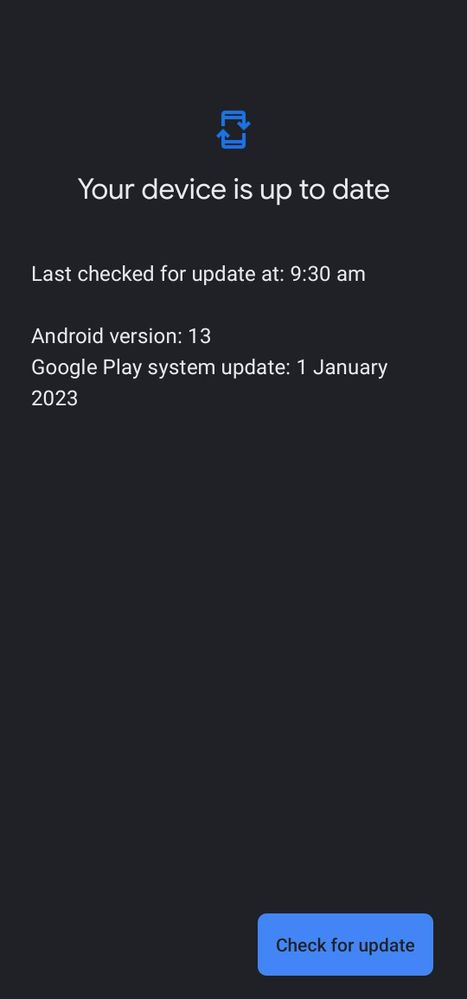
Update the Google Play System to the latest version for some user it could stuck in Nov 2022 or before.
Incase if your phone Google Play System stuck in previous just go to
Settings -> About -> Software Information. Click on the Google Play System Update.
It will try to update latest version of Google Play System. Restart the device once updated. Continue this steps till you get your device up to date shows.
Finally restart once and check for updates in google play store and Samsung Galaxy store. You will see Samsung Wallet update.
Mostly you can find update Galaxy Store..
Thank you,😊
14 Comments
- « Previous
-
- 1
- 2
- Next »

AshAnjum
Active Level 6
Options
- Mark as New
- Subscribe
- Subscribe to RSS Feed
- Permalink
- Report Inappropriate Content
02-03-2023 02:59 PM in
Galaxy S
Not working..

imjoker2611
Active Level 10
Options
- Mark as New
- Subscribe
- Subscribe to RSS Feed
- Permalink
- Report Inappropriate Content
02-03-2023 08:54 PM in
Galaxy S
My Google Play system update is 1st Nov, tried clicking on it but not working.

Manish1991
Active Level 7
Options
- Mark as New
- Subscribe
- Subscribe to RSS Feed
- Permalink
- Report Inappropriate Content
02-04-2023 10:38 PM in
Galaxy S
You are genius bro 🙌 🙏🏻
kesavananbu
Active Level 3
Options
- Mark as New
- Subscribe
- Subscribe to RSS Feed
- Permalink
- Report Inappropriate Content
02-04-2023 10:47 PM in
Galaxy S
But no one accepted as solution frnds.

ashik35244
Active Level 1
Options
- Mark as New
- Subscribe
- Subscribe to RSS Feed
- Permalink
- Report Inappropriate Content
02-05-2023 08:48 AM in
Galaxy S
Thank you brother. It works

- « Previous
-
- 1
- 2
- Next »
