- Mark as New
- Bookmark
- Subscribe
- Subscribe to RSS Feed
- Permalink
- Report Inappropriate Content
12-03-2020 09:58 AM in
Galaxy A
- Mark as New
- Subscribe
- Subscribe to RSS Feed
- Permalink
- Report Inappropriate Content
12-03-2020 10:10 AM (Last edited 12-03-2020 10:12 AM ) in
Galaxy Ai would suggest you to reset your camera app. because maybe you have by mistake changed the camera filter so if you reset your camera setting everything will be normal. and also check that your camera app and software is up to date.
- Mark as New
- Subscribe
- Subscribe to RSS Feed
- Permalink
- Report Inappropriate Content
12-03-2020 11:05 PM in
Galaxy A
- Mark as New
- Subscribe
- Subscribe to RSS Feed
- Permalink
- Report Inappropriate Content
12-03-2020 11:10 PM in
Galaxy A
- Mark as New
- Subscribe
- Subscribe to RSS Feed
- Permalink
- Report Inappropriate Content
12-04-2020 05:50 PM in
Galaxy A
- Mark as New
- Subscribe
- Subscribe to RSS Feed
- Permalink
- Report Inappropriate Content
12-06-2020 09:00 AM in
Galaxy ADear Samsung Member,
Greetings from Samsung Customer Support!
We apologize for the inconvenience caused to you. Please be assured and perform following methods to resolve the Camera issue:-
1. Please clear data or cache of Camera Application(Tap Settings > Apps > Camera > Storage > Clear Cache/data).
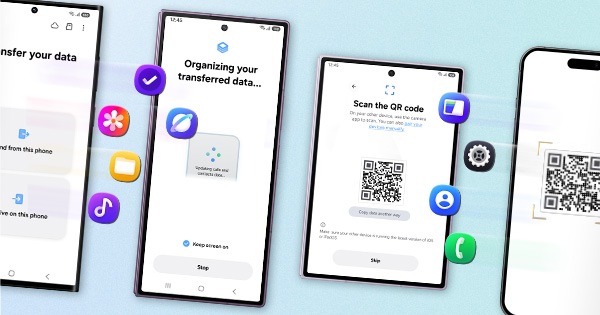
2. Reset the Device:- Kindly create data backup of your device via SMART switch mobile application or http://www.samsung.com/in/support/smartswitch pc suite
How to reset:- Settings>General Management>Reset.
If the issue still persist, kindly register your concern in Samsung Members app (Samsung Members app > Get help > Feedback > Error report/ask question).
Note: Please send device log files within 15 minutes of issue occurrence along with the exact issue details.
Thank you for writing to Samsung.
Warm Regards,
Samsung Customer Support