

abdulazizibrahi
Active Level 2
Options
- Mark as New
- Subscribe to RSS Feed
- Permalink
03-30-2018 11:49 PM in
Galaxy S
why there is no button to stop pop-up notification in notification setting !!!!!!
I really don't like to see notification coming down whail i'm using the phone, it's enough to show the icon on the top of screen.
plz i want an update for this
I really don't like to see notification coming down whail i'm using the phone, it's enough to show the icon on the top of screen.
plz i want an update for this
24 Comments

Miskinbatcha
Beginner Level 2
Options
- Mark as New
- Subscribe to RSS Feed
- Permalink
04-21-2018 09:41 PM in
Galaxy S
system keyboard and display working very slow also some keyboard button not working need to press two three times
abdulazizibrahi
Active Level 2
Options
- Mark as New
- Subscribe to RSS Feed
- Permalink
04-02-2018 12:07 AM (Last edited 03-15-2019 04:00 PM ) in
Galaxy S
i do , this come & i turn it off 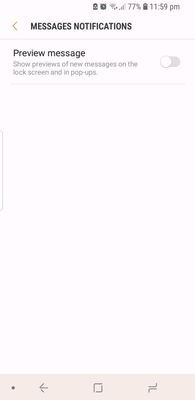
abdulazizibrahi
Active Level 2
Options
- Mark as New
- Subscribe to RSS Feed
- Permalink
04-02-2018 12:26 AM in
Galaxy S
i have control sms notification , now they don't pop up , but i don't know about other apps

κχЙᏉÏÇтЭᎴ
Active Level 4
Options
- Mark as New
- Subscribe to RSS Feed
- Permalink
04-02-2018 12:22 AM (Last edited 03-15-2019 04:00 PM ) in
Galaxy S
you shuold go to mobile setting >apps > find you social apps like instagram click instagram > scroll down to see one option is notification click on it next page open you should to trun of notification 😊 screen shoot attached
abdulazizibrahi
Active Level 2
Options
- Mark as New
- Subscribe to RSS Feed
- Permalink
04-02-2018 12:27 AM in
Galaxy S
This will not give any notification @ all 😅 i will see later , thanx ma friend

